
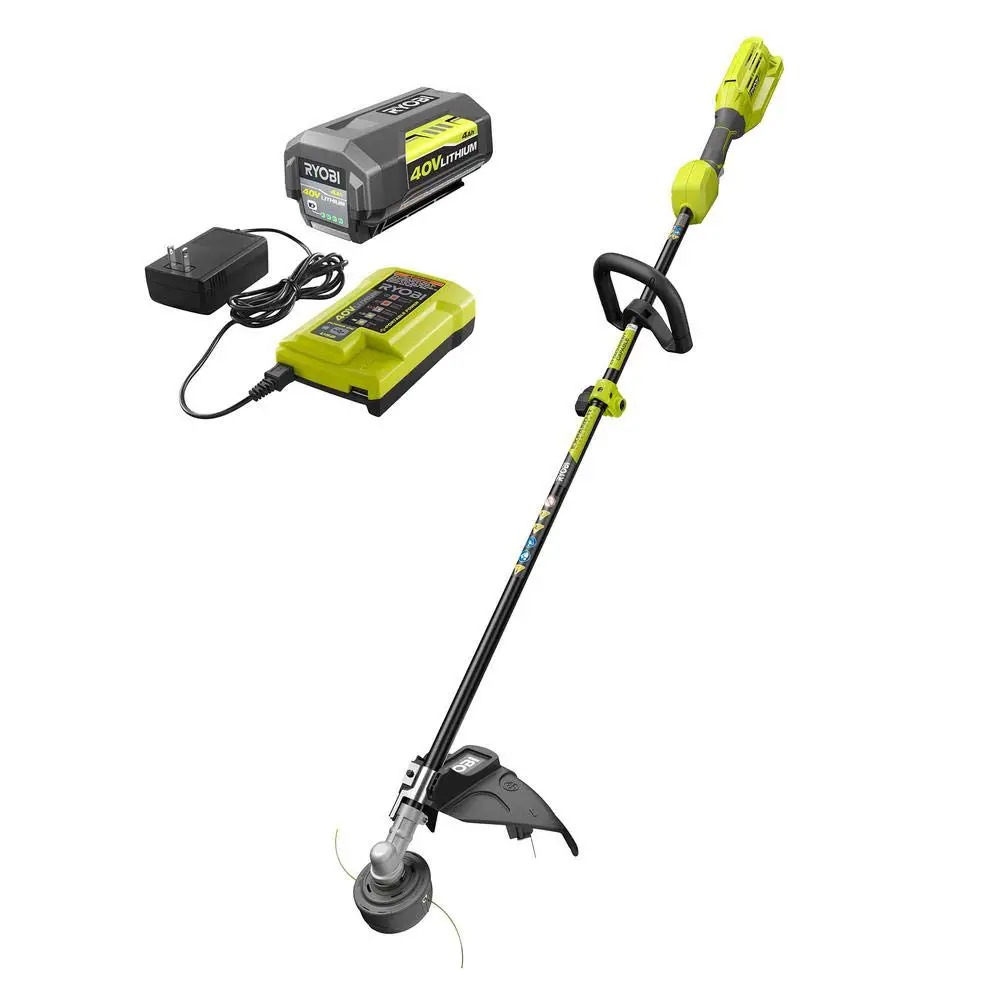
Ryobi line trimmers, often called string trimmers, weed eaters, or weed whackers, have become one of the most popular choices for residential lawn care across the United States. From the entry-level 18V ONE+ family that shares batteries with hundreds of other Ryobi tools, to the more powerful 40V brushless models, to the modular Expand-It attachment system, the brand offers a unit for nearly every yard. With that breadth of models, however, comes a wide range of recurring Ryobi line trimmer problems that owners report on retail review pages, repair forums, and manufacturer help lines.

This comprehensive Ryobi string trimmer troubleshooting guide examines the most common issues, explains how to diagnose them, and outlines practical solutions. It draws on official Ryobi support material, professional repair guides, expert technician sessions, owner forum discussions, and federal recall notices. Each major problem category is presented with symptoms, causes, troubleshooting steps, and solutions, followed by model-specific notes and a dedicated preventive-maintenance section.
Trimmer Not Starting
A Ryobi trimmer that refuses to start is by far the most frequently reported complaint across both 18V and 40V platforms. Owners describe pulling the trigger and getting either complete silence, a single click from the housing, a brief whir followed by a stop, or an LED that flashes once and dies.
Symptoms
- Pulling the trigger produces no sound, no LED activity, and no motor movement.
- The motor emits a brief click or chirp from inside the housing but does not spin up.
- The trimmer briefly attempts to spin, then immediately shuts down before the head reaches operating speed.
- The unit started normally last season but is unresponsive after winter storage.
- The LED on the tool flashes when the battery is inserted but goes dark when the trigger is pulled.
Causes
According to a JustAnswer expert session involving a Ryobi ONE+ 18V cordless brushless trimmer that suddenly stopped working even after the owner swapped batteries, the most common culprits are battery contact issues, trigger-switch failure, internal wiring problems, or a faulty electronic speed controller (ESC) on brushless models.
In greater detail, the principal causes are:
- Discharged or deeply depleted battery. Lithium-ion packs left for months in cold sheds or hot garages can drop below the voltage threshold the charger will recognize, even though they are not truly dead.
- Dirty or corroded battery terminals. Pollen, lawn dust, and condensation accumulate on the brass blade contacts in the battery cradle, increasing resistance and preventing full current delivery.
- A faulty trigger switch or safety lockout. Ryobi trimmers use a two-stage trigger plus a thumb-button safety release. Either component can fail mechanically (broken plastic) or electrically (worn contacts).
- A failed electronic speed controller (ESC) or motor controller PCB. This is especially common on brushless 18V ONE+ HP and 40V models, which rely on a small driver board to commutate the brushless motor.
- Loose or unseated drive shaft. On Expand-It and split-shaft models, if the shaft is not seated and the coupler knob is not fully tightened, the safety interlock or mechanical engagement can prevent operation.
- Worn carbon brushes on older brushed 18V trimmers such as the P2002 and early P20100 series.
Troubleshooting Steps
- Confirm that the battery itself is healthy by inserting it into another known-good Ryobi tool of the same voltage. If the second tool also fails to power, the battery is the problem.
- Inspect the battery cradle. Look for green corrosion, debris, or bent contact blades. Clean the terminals with a small brass brush, contact cleaner, or a cotton swab dampened with isopropyl alcohol; allow them to dry fully.
- Reseat the battery firmly until both side latches click. A partially seated pack can read as connected but cannot deliver high current.
- Test the trigger and safety release by depressing each independently and listening for the small click of the switch contacts. If the switch feels mushy, gritty, or unresponsive, suspect mechanical failure.
- With the battery removed, open the handle housing (typically held by Torx T15 or T20 screws) and visually inspect the wiring harness. Look for unplugged connectors, broken solder joints, melted insulation, or wires pinched by the case.
- With a digital multimeter set to continuity, verify the trigger switch closes when pulled. Check voltage at the motor controller input while the battery is inserted.
- On split-shaft and Expand-It models, separate the shafts and try to start just the power head. If it runs without the attachment, the fault is downstream in the lower shaft or coupler.
Solutions
- Charge the suspect battery on a known-good charger for a full cycle. If the charger refuses to recognize the pack, owner-documented pulse charging techniques for reviving Ryobi batteries — repeatedly inserting and removing the battery for 10 seconds at a time — have revived many 18V ONE+ packs that drifted just below the charger’s wake-up threshold.
- Replace contaminated battery terminals or the battery cradle assembly if cleaning does not restore conductivity.
- Replace a defective trigger or safety switch. These are sold as combined assemblies for most 18V and 40V models and typically cost between $10 and $25.
- For brushless tools, a faulty ESC or motor controller usually requires the entire control PCB to be replaced. Because Ryobi rarely sells these boards as discrete service parts, service centers frequently advise warranty replacement rather than board-level repair.
- For brushed motors with worn brushes, replacement brush kits restore operation in older units such as the P2002 or RY15122.
- If the unit is within the limited warranty period, file a claim through Ryobi customer support before disassembling, because field repair will void coverage. Owners should also register their Ryobi tool to expedite future warranty claims and recall notifications.
Battery and Charging Problems
Because every cordless Ryobi trimmer depends on a lithium-ion pack, the battery and charger ecosystem is responsible for a disproportionate share of reported failures. According to SlashGear’s consumer review of common Ryobi string trimmer problems, the first major issue is shorter run times on 18V ONE+ models, which often reach only about 25 minutes before requiring a recharge break, and flashing-light charging faults are widespread.
Symptoms
- Charger displays a flashing red light or alternating red-and-green pattern instead of a steady charging indicator.
- Battery shows full charge but the trimmer runs for only a few minutes, far below rated runtime.
- Pack reports zero bars on its onboard fuel gauge even immediately after charging.
- Battery becomes very hot during charging or during the first minute of use.
- Older packs will not charge at all and are reported by the charger as defective.
Causes
- Temperature fault. Ryobi 18V and 40V chargers refuse to charge a pack that is above approximately 105°F or below approximately 40°F. A pack pulled from a hot trimmer immediately after a long mowing session, or one stored overnight in a freezing garage, will trigger the flashing-light fault.
- Cell imbalance or a single dead cell. Each pack contains five (18V) or ten (40V) lithium-ion cells in series. If one cell drifts in voltage from the others, the pack’s onboard battery management system (BMS) blocks charging to protect the cells.
- Deep discharge below the BMS wake-up threshold. Packs left unused for more than 6 months may drop below approximately 2.5 V per cell and become invisible to the charger.
- Contaminated or oxidized battery terminals on the pack itself, especially after exposure to fertilizer, herbicide overspray, or moisture.
- A failed charger. The Ryobi OP401 (40V) and P117/P118 (18V) chargers occasionally fail in the diagnostic circuit, reporting healthy packs as defective.
- Cycle exhaustion. Lithium-ion cells generally lose meaningful capacity after 500 to 1,000 cycles; runtime degradation past 3 to 5 years of frequent use is normal aging, not a defect.
Troubleshooting Steps
- Allow a hot battery to cool indoors for 20 to 30 minutes, or warm a cold battery to room temperature, before reattempting a charge.
- Insert the battery in another tool. If the tool runs for several seconds at full power, the pack has at least some capacity, and the issue is likely the charger or a temperature fault.
- Try the pack on a second known-good charger of the appropriate voltage. If the second charger accepts the pack, replace the original charger.
- Inspect the contact terminals of the pack with a flashlight. Clean any oxidation with a brass brush; do not use steel wool, which leaves conductive shavings.
- Pulse-charge the pack: insert it into the charger for 10 seconds, remove it for 10 seconds, and repeat 8 to 10 times. This nudges a deeply discharged pack into a state the charger can recognize.
- For technically inclined users, measure the open-circuit voltage of the pack across its main terminals. A healthy 18V pack reads 18 V to 20.5 V; a healthy 40V pack reads 36 V to 42 V. Anything substantially below indicates cell damage.
Solutions
- Store batteries indoors at approximately 50 percent state of charge and at room temperature. This single change extends pack life more than any other practice.
- Replace the charger if its diagnostic light persists with multiple known-good packs.
- Replace the battery pack if it shows persistent imbalance, severely reduced runtime, swelling, or any signs of physical damage. Ryobi 18V and 40V packs are widely available at major retailers and are covered by a 3-year limited warranty.
- For Ryobi ONE+ HP brushless trimmers, use a 4.0 Ah or higher pack. Lower-capacity 1.5 Ah and 2.0 Ah packs cannot reliably supply the peak current the brushless motor draws under load and will sag voltage, causing the controller to register a low-voltage fault and shut the trimmer off prematurely.
Line Feed and Spool Issues
The line-feed system is the single most discussed mechanical complaint among Ryobi line trimmer owners. As consumer reporting on common Ryobi string trimmer problems summarizes the issue: owners frequently report that the line does not advance properly, with the string jamming or tangling during trimming and forcing the operator to stop mid-task.
Symptoms
- Bumping the trimmer head on the ground produces no additional line, even though line is visible inside the spool.
- Line advances unevenly — one side feeds, the other does not.
- The line breaks off flush with the spool eyelet within seconds of every restart.
- The auto-feed system on models such as the OLT1832 and the 18V ONE+ HP releases far more line than needed, then chews through it within a minute.
- Line is fused into a solid plastic mass inside the spool after the unit overheated.
Causes
- Welded line. When trimming heats the head and the operator stops abruptly, adjacent wraps on the spool can fuse together, locking the line in place.
- Line wound in the wrong direction. Each spool is marked with an arrow. Winding against the arrow makes the line jam against the eyelet on every bump.
- Line wound unevenly or overlapping. Crossed coils bind on every bump.
- Incorrect line diameter. As Repair Clinic explains in its Ryobi line-feed troubleshooting guide, if the trimmer line is too thick or too thin for the trimmer head, it will not feed correctly. Most Ryobi 18V trimmers require 0.065-inch line; most 40V models accept 0.080-inch or 0.095-inch line; using the wrong gauge guarantees jams.
- Worn or broken spool spring. The spring under the spool provides the upward pressure that engages the bump-feed mechanism.
- Worn eyelets. Plastic line guides erode over time and allow line to slip back into the housing.
- Cracked or distorted spool housing. When the trimmer housing is damaged, the entire trimmer head should be replaced.
- A misunderstood auto-feed system. Ryobi auto-feed heads release approximately a quarter inch of line each time the trigger is pulled, which can be misread by the operator as a malfunction.
Troubleshooting Steps
- Remove the spool cover and lift out the spool. Inspect for fused line, melted plastic, and tangles.
- Check the wind direction against the arrow molded into the spool body.
- Measure the line diameter with calipers and verify it matches the diameter printed on the data plate or in the manual.
- Confirm that the spool spring is intact and provides upward resistance when pressed.
- Inspect the eyelets for grooving; a deep groove indicates wear.
- Examine the inside of the upper housing for debris, especially compacted grass clippings around the drive hub.
- On REEL-EASY heads, confirm the wind knob still rotates and locks; replace the entire head if it does not.
Solutions
- Rewind the spool with the correct diameter line, in the direction of the arrow, in tight, even, non-overlapping coils. Most full spools take 15 to 20 feet of line. The iFixit step-by-step guide for replacing the line on a Ryobi ONE+ trimmer provides clear visual instructions for first-time users.
- Replace fused or contaminated line entirely; do not attempt to reuse welded coils.
- For users frustrated by manual rewinding, install a Ryobi REEL-EASY Speed Winder bump head (RAC1214 or equivalent), which lets the operator feed straight pre-cut line through the head and twist a knob to wind it.
- Replace the spool spring (Ryobi part 678749001) if it is missing, broken, or weak.
- Replace the entire trimmer head assembly when eyelets, housing, or internal hub are worn.
- Practical operating discipline prevents most line-feed problems: do not overload the spool, ensure the string feeds evenly, bump gently rather than aggressively, and use the correct line thickness for your model.
Head Not Spinning
A Ryobi trimmer head that fails to rotate while the motor or engine clearly runs is a distinct mechanical failure mode separate from a no-start condition. It indicates a break in the mechanical chain between the powerhead and the cutting head.
Symptoms
- The motor whirs or the engine revs, but the head does not turn.
- The head spins very slowly even at full throttle and stalls on contact with grass.
- The head spins freely by hand when the tool is off but does not respond to the trigger.
- A grinding or clattering noise originates from the gearbox at the cutting end.
- The head wobbles visibly during operation and then stops.
Causes
- Broken or detached drive shaft (drive cable). On split-shaft and Expand-It trimmers, the inner flexible drive cable connects the powerhead clutch to the cutting head. As Repair Clinic’s diagnostic guide for trimmer heads that will not spin explains, a flexible drive shaft connects the clutch to the trimmer head, and if it breaks, the head will not spin. The drive shaft is not repairable and must be replaced.
- Stripped drive-shaft threads or square coupler. The square brass coupler at the powerhead end of the upper shaft strips out from overload.
- Worn clutch (gas models). A glazed or broken clutch on RY253SS and similar 2-cycle units allows the engine to rev without engaging the drive.
- Stripped gearbox gears. The bevel gears in the gear head at the cutting end fail under repeated abuse, particularly when a metal blade or aftermarket plastic blade has been fitted to a head designed only for line.
- Loose Expand-It coupler. If the coupler knob is not fully tightened or the alignment pin is not engaged, the lower shaft can be pulled out far enough to disengage the drive without the operator noticing.
- Tall wet grass wrapped around the boom or head. Tall, wet grass easily becomes wrapped around the boom housing and string head, causing it to stall.
- Stripped trimmer-head retainer threads. The threads on the drive shaft that hold the head can wear, allowing the head to spin loosely or fall off entirely.
Troubleshooting Steps
- Remove the battery (or disconnect the spark-plug wire on gas models) before any inspection.
- Hold the head and try to rotate it by hand. Free movement with no resistance suggests a broken drive shaft or stripped coupler. Stiff resistance or grinding suggests a gearbox problem.
- On Expand-It models, separate the upper and lower shafts. Power on the upper shaft alone and observe whether the upper drive coupler rotates. If the upper shaft rotates and the lower does not, the fault is downstream.
- Pull the inner drive cable out of the lower shaft and inspect for broken square ends or unraveling.
- Remove the trimmer head and inspect the gearbox bevel gears for missing or chipped teeth.
- On gas models, remove the clutch housing and check for missing clutch shoes or broken springs.
Solutions
- Replace the inner drive cable. Aftermarket replacements for Expand-It and CS30/CS720R/RY253SS series cost approximately $15 to $30.
- Replace the gear head if the bevel gears have failed. Gear-head replacement is straightforward on most Ryobi models because the gearbox unbolts from the lower shaft.
- Replace the clutch assembly on gas models that exhibit slow head spin or rev-without-spin behavior.
- Tighten the Expand-It coupler fully and check that the spring-loaded alignment button has engaged the detent hole in the lower shaft.
- Clear grass and string fragments from around the drive hub and the gearbox before each restart.
- Where the drive shaft is bent, the cost of replacing both the shaft and a heat-damaged motor frequently exceeds the cost of a new tool.
Power Loss and Overheating Problems
Premature shutdown caused by motor or controller overheating is one of the most heavily documented Ryobi line trimmer problems. The Ryobi P2009 18V brushless trimmer is the model most often cited.
Symptoms
- The trimmer runs normally for 10 to 15 minutes, then slows and stops.
- After cooling for 5 to 30 minutes, it restarts, runs for 15 to 20 seconds, then quits again.
- The motor housing or string head feels noticeably warm or hot to the touch when shutdown occurs.
- The trimmer is markedly underpowered when the ambient temperature is above approximately 90°F.
- Burning plastic odor or visible smoke from the motor area accompanies shutdown.
Causes
- Thermal protection in the motor or ESC. Both 18V and 40V Ryobi trimmers carry temperature sensors that cut power at predefined limits to prevent permanent damage.
- Inadequate ESC cooling. iFixit users diagnosing the Ryobi 18V brushless trimmer overheating issue traced the problem to the electronic controller (part number 311291005), which has small heat-sink fins for cooling but is mounted directly behind the motor in a plastic handle area that does not allow sufficient airflow. Some owners have installed supplemental DC fans as a workaround.
- High ambient temperature. Owners in hot regions of the United States report consistent overheating during summer months, particularly when ambient temperatures exceed 90°F.
- Battery thermal cutoff. Lithium packs throttle current when they exceed approximately 140°F to protect the cells.
- Continuous heavy load on a 1.5 Ah pack. Sustained high-current draw on a small pack causes both the pack and the motor controller to heat rapidly.
- Clogged motor vents. Grass, dust, and pollen restrict airflow over the motor and controller heat sinks.
- Tall, wet, or matted grass. Cutting through dense, wet vegetation increases motor torque and current draw, raising temperatures rapidly.
Troubleshooting Steps
- Note the ambient temperature and the duration of operation before shutdown. Pattern recognition is critical.
- Pause and remove the battery. Touch the motor housing carefully — significant heat indicates motor or controller overheating; a cool motor with a hot battery indicates pack-side thermal cutoff.
- Inspect and clear the cooling vents on the motor housing using compressed air or a stiff nylon brush. Avoid water on any electric Ryobi trimmer.
- Check the spool and gearbox for compacted debris that may be increasing cutting load.
- Try the same task with a higher-capacity battery. A 4.0 Ah or 6.0 Ah pack will sag voltage less under load and stay cooler than a 1.5 Ah pack.
- Try the trimmer at a lower speed setting where the model offers high/low gears such as the RY40021.
Solutions
- Allow at least a 10-minute cooldown when temperature-driven shutdowns begin. Forcing repeated restarts accelerates ESC degradation.
- Use the larger Ryobi packs (4.0 Ah HP 18V or 6.0 Ah/7.5 Ah 40V) for sustained cutting.
- Trim in cooler hours of the day during summer in hot regions of the United States.
- Cut tall grass in two passes — top first, then ground level — to reduce motor load.
- Replace the electronic controller (Ryobi part 311291005 on the P2009) when it has been damaged by chronic overheating.
- A smoking trimmer is a serious failure: turn it off immediately, remove the battery, and place it on concrete away from flammable material. For new units, contact Ryobi customer service or your retailer to invoke warranty replacement.
Electrical and Motor Failures
Beyond simple no-start and overheating conditions, Ryobi trimmers exhibit a recognizable set of internal electrical failures that grow more common as the tool ages.
Symptoms
- A clicking sound from the motor area when the trigger is pulled, with no rotation.
- Intermittent operation — the unit runs, then quits, then runs again with no apparent pattern.
- Loss of variable-speed control; the head runs only at one fixed speed.
- The trimmer runs only when the operator squeezes the handle in a particular way, suggesting a short or broken wire.
- Visible burnt insulation, melted plastic, or a chemical odor from the motor housing.
Causes
- Worn carbon brushes (brushed motors only). As brushes wear, contact pressure and conductivity drop. Older 18V brushed trimmers and several legacy corded models exhibit progressive power loss before brushes finally break.
- Burned brushless motor windings. Sustained overload, particularly on hot days, can scorch the stator windings, producing characteristic ozone and burnt-varnish odors.
- Trigger-switch failure. A failed micro-switch under the trigger is a frequent cause of clicking and intermittent operation. Repair guides identify the switch as one of the most replaceable serviceable parts.
- ESC or controller PCB failure. A blown MOSFET on the brushless driver board produces full lock-out, intermittent stuttering, or one-speed-only operation.
- Damaged wiring harness. Repeated handle flex, vibration, and pinching during reassembly fracture wires inside the harness, producing intermittent faults that respond to handle squeeze.
- Failed Hall-effect sensors. Brushless motors rely on three Hall sensors for commutation. A single failed sensor produces stuttering or no-start.
Troubleshooting Steps
- Listen for the click. A single audible click with no rotation, on a brushed unit, is classic brush failure or a stuck armature; on a brushless unit, it is more often controller or relay failure.
- With the housing open, gently flex the wiring harness while the trigger is held. Intermittent operation that responds to flex confirms a broken conductor.
- With a multimeter, check continuity of each motor lead from the controller to the motor terminals.
- On brushed motors, remove the brush caps and inspect brushes; replace any worn shorter than approximately 6 mm or any with cracked or burnt faces.
- On brushless motors, spin the rotor by hand. Free rotation that produces a small AC voltage at the motor leads (measured on the lowest AC range) confirms the motor itself is electrically intact; a brushless motor with no induced voltage is dead.
- Smell-test the motor housing. A persistent burnt-varnish smell after even brief operation indicates winding damage.
Solutions
- Replace carbon brushes on older brushed Ryobi units. Kits are inexpensive (typically under $15) and well-documented in repair guides.
- Replace the trigger switch assembly when the click corresponds to a failed micro-switch.
- Replace the entire motor controller PCB when ESC failure is confirmed; on most current Ryobi 18V and 40V brushless trimmers, this part is sold as a single subassembly.
- For damaged wiring harnesses, splice and heat-shrink only as a last resort; full harness replacement is preferred to avoid recurring issues.
- A burned brushless motor justifies replacing the entire tool unless a complete motor module is available from Ryobi parts. Diagnosing electrical issues with switches, sensors, circuit boards, motors, and wiring almost always requires a digital multimeter.
Maintenance-Related Failures
A substantial fraction of Ryobi trimmer failures attributed to “the tool” are actually the cumulative result of skipped maintenance. Inspection of internal debris and electrical connections should be the first diagnostic step before assuming a part has failed.
Symptoms
- The cutting head wobbles, vibrates, or emits a grinding sound at speed.
- The shaft develops a knock, click, or new vibration during operation.
- The trimmer’s runtime per battery has dropped substantially over a season.
- The motor housing accumulates a thick mat of clippings around the air vents.
- The line head spins with a noticeable wobble or eccentricity.
- The Expand-It coupler will not lock or unlock cleanly.
Causes
- Debris buildup inside the head and around the motor vents. Compacted grass, sap, and dust restrict airflow and add load.
- Loss of factory grease in the gear head. As SlashGear’s Ryobi trimmer lubrication guide explains, when the factory-installed grease breaks down, moving parts grind against each other, eventually causing bearings to seize and forcing repair or replacement.
- Corroded battery contacts and terminals. Pollen and herbicide overspray cause oxidation in the battery cradle that increases electrical resistance.
- Loose fasteners. Vibration loosens deflector-shield screws, head retainers, and Expand-It coupler hardware over time.
- String stored on the spool too long. Trimmer line that has dried out becomes brittle and fragments easily, producing the “string breaks every minute” complaint commonly seen in retail reviews.
- Failure to drain or stabilize fuel on gas models such as the RY253SS, RY26520, and RY34000. As Repair Clinic’s guide on Ryobi trimmer stalling emphasizes, a clogged carburetor is most commonly caused by leaving fuel in the trimmer for a long period; over time, ingredients evaporate and leave behind a thicker, sticky residue.
Troubleshooting Steps
- With the battery removed, lay the trimmer on its side and inspect every air vent, the motor housing seams, the underside of the deflector, and the spool area for compacted debris.
- Remove the spool and check the inside of the upper housing for grass packed around the drive hub.
- Check fasteners — particularly the deflector screws and the Expand-It coupler bolt — for tightness.
- Check the line on the spool for brittleness; bend a sample 90 degrees. Healthy line flexes; degraded line snaps.
- On greaseable models, remove the small grease-fitting screw near the head and check whether the existing grease is dry, gritty, or contaminated.
- On gas models, drain old fuel; inspect the fuel filter, fuel lines, primer bulb, and air filter; and, where necessary, clean or rebuild the carburetor.
Solutions
- Clean the trimmer after every use using a stiff nylon brush, a soft cloth, and compressed air. Avoid water on any electric Ryobi trimmer.
- Replace stale or brittle line at the start of each season. Use Ryobi-spec or equivalent diameter (0.065-, 0.080-, or 0.095-inch) commercial-grade line.
- Lubricate greaseable Ryobi trimmer gear heads at least once per year using lithium or molybdenum-disulfide grease. On models without a grease fitting, apply a small amount of grease to the bevel gears whenever the head is removed.
- Clean battery cradle terminals with isopropyl alcohol once per season.
- For gas trimmers, use ethanol-free fuel where available; otherwise, add fuel stabilizer to every tank, and run the carburetor dry before storage exceeding 30 days.
- Tighten the deflector and head retainer fasteners at every cleaning. Loose deflector shields have caused injuries in cases where the shield separated during operation.
Model-Year and Variant Differences
Across Ryobi’s broad range of trimmers, problem prevalence is not uniform. Recognizing how a specific model relates to others can shorten diagnosis significantly.
18V ONE+ brushed (older P2002, P2003, RY15122 and similar). These trimmers are the lightest-duty platforms. Reported issues skew toward weak runtime on small (1.5 Ah) packs, brush wear after 2 to 4 seasons, and bump-feed jams. They have no electronic speed controller to fail, but their brushed motors are more easily killed by sustained overload.
18V ONE+ HP brushless (P20100, P20120, P20140 series and the newer Carbon Fiber series). These trimmers run cooler at light load and provide far better runtime on 4.0 Ah and larger HP packs, but they introduce ESC and Hall-sensor failure modes that have been documented extensively. The P2009 in particular is associated with overheating after 10 to 15 minutes of operation. The HP series is also more sensitive to small batteries; using a 1.5 Ah or 2.0 Ah pack with an HP brushless trimmer commonly produces premature low-voltage shutdown.
40V brushed (older RY40002, RY40021). The RY40021 is widely cited for being stuck in slow speed and refusing to return its head to horizontal — symptoms tied to its dual-speed switch and pivot mechanism. Older 40V brushed units share the higher likelihood of brush wear with their 18V counterparts.
40V brushless (RY40270, RY40280, RY40290 carbon-fiber, RY40250). These represent Ryobi’s most powerful homeowner trimmers. Most reports of them being too hot to touch after a few minutes cluster around the 12-inch-deck Whisper variants, which were criticized for short runtimes and premature shutdown when used in dense weeds. The 15-, 16-, and 17-inch carbon-fiber models generally receive better reliability scores.
Expand-It attachment system trimmers (RY15525, RY15527, RY15550, and the universal Expand-It powerheads). Expand-It systems add a second potential failure point — the universal coupler — and an additional drive shaft. Owners report attachments that will not slide in when the coupler is fully loosened, sometimes due to manufacturing residue on the shaft, and drive-shaft disengagement at the coupler producing a no-spin condition. Current Expand-It attachments generally fit older Click-Link powerheads, although fit is not officially guaranteed.
Older corded electric Ryobi trimmers (RLT3525, RLT5030). Corded units do not exhibit battery problems, but they are more sensitive to extension-cord voltage drop and to switch failures. Their motors are typically brushed and overheat similarly to brushed cordless models.
Gas-powered Ryobi trimmers (RY253SS, RY26520, RY34000, BC30 and earlier 4-Cycle units). Although cordless units now dominate sales, gas models still generate a meaningful share of repair traffic. Their failures cluster around fuel-system contamination (clogged carburetor, hardened primer bulb, deteriorated fuel lines), recoil starter problems, and clutch wear. Owners of the discontinued 4-Cycle units in particular report engine sputtering and slowing at full throttle after roughly 10 minutes — characteristic of overheating in a small 4-stroke head.
Recall and Safety Notices
Although the U.S. Consumer Product Safety Commission has not, as of May 2026, issued a recall specifically targeting Ryobi line/string trimmers, owners should be aware of a closely related recall in the same product family. On June 12, 2025, TTI Outdoor Power Equipment recalled approximately 113,000 units of the RYOBI 40V 24-Inch Cordless Hedge Trimmer due to a laceration hazard, because the blade could activate after pressing only one of the two safety controls. The CPSC documented 27 reports of unintended blade activation, including 16 reports of injuries that resulted in minor and some severe lacerations.
The recall covers model numbers RY40620VNM, RY40602VNM, and RY40602BTLVNM, with serial numbers within ranges LT21091D180001 to LT22365D060025 and RG23125N250001 to RG24252D101110. Affected units were sold at Home Depot and Direct Tools Factory Outlet stores nationwide and online from March 2021 through January 2025 for between $90 and $160.
The relevance to line-trimmer owners is twofold. First, anyone who owns a 40V hedge trimmer of these models should stop using it and contact TTIOPE toll-free at 800-597-9624 or visit the Ryobi website to obtain a free replacement. Second, the recall illustrates the importance of inspecting Ryobi tool data plates (located on the bottom housing) and registering products so that direct recall notifications reach the owner. Owners of Ryobi line trimmers should periodically check the Consumer Product Safety Commission recall database for any future bulletins.
Preventive Maintenance and Servicing Schedule
The single most reliable predictor of long Ryobi line trimmer life is consistent preventive maintenance. The following schedule consolidates manufacturer guidance, professional repair recommendations, and consumer experience.
Before Every Use
- Inspect the line for brittleness; replace if it snaps when bent 90 degrees.
- Confirm that the deflector shield is firmly fastened.
- Confirm the spool cover is fully clipped.
- On Expand-It models, verify that the coupler knob is fully tightened and the alignment pin is engaged.
- Verify the battery is fully charged and at room temperature.
After Every Use
- Brush all clippings from the head, deflector, and motor vents.
- Wipe the shaft with a dry cloth.
- Inspect the line and rewind any that has come unspooled.
- Allow the battery to cool before charging, and remove the battery from the tool for storage.
Monthly During the Mowing Season
- Open the spool housing and remove residue around the drive hub.
- Inspect battery terminals on both the pack and the cradle; clean with a brass brush if oxidation is visible.
- Check all visible fasteners for tightness.
- Inspect the wiring harness through any accessible vent openings for visible damage.
Annually (Beginning or End of Season)
- Lubricate the gearbox of greaseable models with lithium or molybdenum-disulfide grease.
- Replace the trimmer line entirely with fresh stock.
- Test all batteries for runtime and discard any that hold less than approximately 60 percent of original capacity.
- For gas models, drain fuel before long-term storage, replace the fuel filter, replace the spark plug, and clean or replace the air filter.
- Inspect the trimmer head for cracks; replace if any are present.
Long-Term Storage
- Store batteries indoors at approximately 50 percent state of charge in a dry location between 50°F and 75°F.
- Store the tool in a covered area protected from direct sunlight, freezing temperatures, and humidity.
- Apply a thin film of grease to the gearbox before extended off-season storage.
- For gas models, run the carburetor dry or treat fuel with a stabilizer.
Practical Diagnostic Flowchart
When a Ryobi trimmer fails in the field, a structured approach saves time:
- If nothing happens at all, start with the battery: swap it into another tool. Then check the battery cradle terminals.
- If the motor clicks or chirps but does not spin, suspect the trigger switch on a brushed unit or the motor controller on a brushless unit.
- If the motor runs but the head does not spin, separate any split shaft and isolate the failure to the powerhead, the inner cable, or the gearbox.
- If the trimmer runs briefly and shuts down, suspect overheating — either of the motor controller, the motor itself, or the battery — and address airflow, ambient temperature, and pack capacity.
- If the line will not advance, the problem is almost always inside the spool, almost never inside the motor.
- If the trimmer has been smoking, has visible burned components, or smells of burnt insulation, stop using it and either pursue warranty replacement or replace the motor and controller only after thorough inspection.
Closing Perspective
Ryobi line trimmers occupy a particular position in the U.S. cordless lawn-care market: they are inexpensive enough to be replaced rather than meticulously repaired, yet capable enough that owners reasonably expect several years of service. The most common consumer complaints — line that will not feed, batteries that will not charge, motors that overheat in summer, and trimmer heads that stop spinning — can almost all be traced to a small set of well-understood mechanical and electrical components: the spool and its eyelets, the battery management system and the cradle terminals, the electronic speed controller and its cooling pathway, the trigger switch, and the inner drive shaft of split-shaft and Expand-It models.
Most of these failures are diagnosable with simple tools — a screwdriver, a multimeter, and a brass brush — and resolvable with inexpensive replacement parts available through Ryobi customer service, major home improvement retailers, and the broader aftermarket. The remainder are best handled through the Ryobi warranty and support program, especially for newer brushless tools whose proprietary control boards are not commonly available as service parts.
The single greatest determinant of how long a Ryobi line trimmer lasts is not the model purchased but the maintenance discipline of the owner. A trimmer that is cleaned after every use, fed the correct line wound in the correct direction, run on appropriately sized batteries, lubricated annually, stored indoors in mild conditions, and inspected regularly for loose fasteners and worn components will routinely outlast its 3-year tool warranty by a wide margin. A trimmer that is left in a freezing or sweltering shed with a partially charged battery, fed mismatched line, and cleaned only after it stops working will exhibit virtually every problem catalogued in this guide — usually well within the first two seasons.