
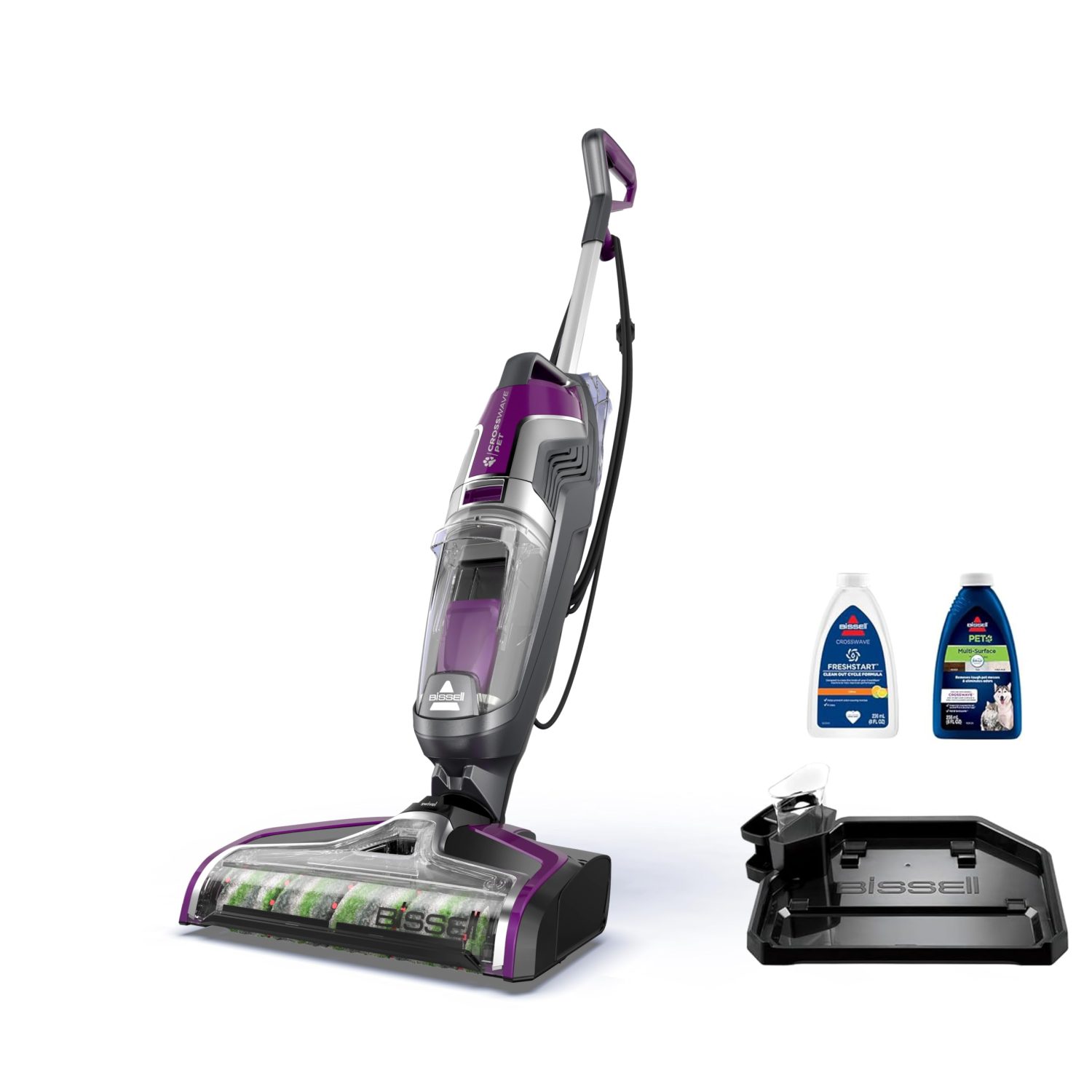
Bissell’s CrossWave series (including the CrossWave All-in-One multi-surface cleaner, CrossWave Pet Pro, CrossWave Cordless Max, and related models) is popular for vacuuming and mopping simultaneously. However, users in the United States and around the world have reported a range of common problems – from technical malfunctions to maintenance hassles. This guide compiles those recurring issues and user-reported complaints, and offers reliable troubleshooting steps for each problem. We draw on customer experiences (forums, reviews) and official guidance to provide a balanced, comprehensive overview that will help you keep your CrossWave running smoothly.

Table of Contents
1. Loss of Suction and Clogging Issues
One of the most frequent complaints is low or no suction, where the CrossWave fails to pick up debris or dirty water. Users describe instances of dirt and pet hair never reaching the dirty tank – instead getting stuck in the suction tube or brush area. In severe cases, the floor stays soaked because dirty water is not being vacuumed up, as one Pet Pro owner experienced after a few years of use. Common causes include clogged air pathways, a full or improperly seated dirty water tank, or a saturated filter.
Troubleshooting Steps
Bissell’s support emphasizes that basic maintenance fixes most suction problems:
Empty and Re-seat the Dirty Water Tank: The CrossWave has a float valve that engages when the dirty tank is full, cutting off suction to protect the motor. Empty the dirty tank and ensure it is clicked in firmly with no gaps. A loosely installed tank or damaged tank lid can cause air leaks and loss of suction.
Clean or Replace the Filter: A clogged or wet filter will drastically reduce suction. Remove the filter from the dirty tank lid and wash out debris. Let it air-dry for at least 24 hours before reuse (a still-wet filter will impede airflow). Make sure the dry filter is reinstalled without folds or gaps in its seal. Keep a spare dry filter handy if you need to run multiple cleaning cycles in one day.
Check for Obstructions: Unplug the unit and inspect the suction inlet, hose, and brush roll housing for any clogs (hairballs, dust bunnies, or wet debris). Remove the brush roll window and pull out the brush; clear any debris wrapped around the brush or stuck in the foot and gear areas. Even fine materials like pet hair mixed with wet grime can cake inside the nozzle or hose – some users run a bottle brush through the tube to push out clogs. Ensure the float flap in the tank lid moves freely and is not jammed by gunk.
Inspect Seals and Components: After heavy use and repeated cleanings, the rubber seals on the tanks or connectors can wear out, leading to loss of suction via air leakage. If the dirty tank, its rubber gasket, or any hose is cracked or damaged, replace the part. One CrossWave Cordless Max owner discovered the main flexible suction hose had split, killing the suction until it was replaced. Bissell advises replacing any worn or broken components to restore a proper seal.
If you have cleaned and checked everything and suction is still weak, the issue might be a mechanical failure (for example, a failing suction motor). A few owners reported that their CrossWave gradually “lost suction” after a couple of years, even after deep cleaning and new filters. In such cases, contacting Bissell support is wise – especially if under warranty, as they may replace the unit. Unfortunately, some users feel the CrossWave’s design makes it prone to suction loss over time. Regular maintenance is your best defense: cleaning the machine thoroughly after each use will prevent most clogs that cause suction problems.
2. Water Dispensing (No Spray) Problems
Another common issue is when the CrossWave will not spray water or cleaning solution as it should. Users have noted cases where pulling the trigger yields no fluid, often due to the clean water system being obstructed or the pump malfunctioning.
Troubleshooting Steps
First, ensure you are using the machine correctly – the trigger on the handle must be held down continuously to spray solution. If you are holding the trigger and still getting no spray or very low spray:
Check the Clean Water Tank: Make sure the tank is filled and firmly seated on the machine with no gaps. If the tank is not clicked in properly, the pump may suck air instead of fluid. Inspect the tank’s cap and rubber valve – if the cap is not tight or the valve is stuck, water will not flow. Bissell suggests removing the tank and examining the cap for cracks or a mis-seated gasket. Filling the tank and reinserting it with a firm push can help re-prime the system.
Prime the Pump: After refitting the tank, plug in the CrossWave and hold the spray trigger for 10–15 seconds to prime the pump and purge any air in the lines. Often, a few moments of holding the trigger will get the solution flowing.
Clear the Spray Nozzles: If no fluid is coming out, the spray tips at the front may be clogged with dried formula or debris. Turn off and unplug the machine. Remove the brush roll window to access the spray nozzles. Use a pin or paperclip to gently clear any blockage in the spray holes. Wipe away any residue that could be blocking the flow. (For models with a self-cleaning cycle, running the self-clean function can also help flush the system, but do this only once you have re-established some flow.)
Inspect the Trigger and Pump: Less commonly, the trigger mechanism or pump can fail. One Cordless Max owner reported that the handle trigger broke, which meant the machine could no longer dispense water or run self-cleaning. If the trigger feels loose or does not “click” as normal, it might be a mechanical break in the handle – requiring a repair or handle replacement. Similarly, if the internal pump has failed (motor issue), the unit may need professional servicing. Bissell support sometimes opts to replace machines that have persistent no-spray issues once basic troubleshooting is exhausted, as there may be an internal fault.
In summary, “no spray” issues are usually fixable by reseating the water tank and clearing clogs. Always ensure the clean water tank valve is not clogged and that you have not left solution sitting in the machine between uses (dried formula can clog the lines). If you hear the pump motor but get no spray, focus on the tank and nozzle cleaning; if you hear nothing at all when pressing the trigger (and no lights indicating spray), the trigger or pump may not be engaging electrically. In the latter case, contacting Bissell for warranty support is recommended.
3. Brush Roll Not Turning or Floor Head Issues
The CrossWave’s brush roll is crucial for scrubbing floors, so it is frustrating when it stops spinning or encounters problems. Users have encountered scenarios where the brush will not turn at all, or it stops intermittently, often accompanied by unusual noise. The most common cause is a jam from tangled hair or debris, especially for Pet Pro models dealing with lots of pet hair. For example, owners mention long hairs wrapping around the brush and even around the brush gear, causing the roll to stall. In other cases, the brush will not spin because the unit has not been used in the proper position.
Troubleshooting Steps
Bissell’s guidance and user experiences suggest the following:
Use the Proper Mode and Angle: Ensure the CrossWave is powered on in a cleaning mode and reclined. By design, the brush roll will not spin when the machine is upright. You must select a mode (Hard Floor or Rug) and tilt the handle back as if cleaning for the brush motor to engage. (It sounds simple, but some new users think their brush is dead when they actually have not activated it correctly.)
Remove Hair Wraps and Debris: Unplug the unit, remove the brush roll window, and pull out the brush roll by its end tab. Clear any hair, string, or fibers wrapped around the brush – especially at the ends and around the end-cap/gear area. Bissell provides a cleaning tool with many CrossWave models to cut away hair wraps. Do not forget to inspect the brush gear in the floor head (the slot where the brush end sits) – remove any hair or dirt clogging the gear teeth, as that can prevent the roll from turning. After cleaning, test-spin the brush by hand; if it does not spin freely even when clean, the brush roll or end cap might be damaged and should be replaced.
Check for Obstructions in the Foot: Sometimes debris can get lodged around the brush roll housing or in the suction channel in the floor head (for example, a small pebble or plastic piece jammed in the mechanism). Inspect the brush housing and suction inlet (the clear channel behind the brush) and remove any visible obstructions. Even a chunk of dried mud or a thick clump of hair can block the brush’s rotation.
Listen for the Motor versus Belt Issues: The CrossWave brush is driven by a motor (not just suction), and some models use a small belt to transfer power to the brush. If you hear the motor running but the brush is not moving, the belt may be broken or slipped. Unfortunately, Bissell does not provide an easily accessible belt on the CrossWave – it is internal – so a broken belt would likely need professional repair or warranty service. A telltale sign of belt/motor issues is a loud grinding or whirring noise with no brush motion. Bissell’s support notes that some noise (up to approximately 80 decibels) is normal with both vacuum and brush running, but loud excessive noise could indicate a jam or motor strain. Turn the unit off immediately if you suspect this, and inspect the brush and gear for jams again. If the brush motor itself has burned out (perhaps from overloading on a long jam), the unit may shut off for safety and require repair.
Most brush roll problems come down to tangles or incorrect use. The CrossWave Pet Pro is equipped with a tangle-resistant brush and even a pet hair strainer in the dirty tank to help with hair, but owners still find that large amounts of hair can wrap or accumulate. Regularly cleaning the brush after each use, especially if you have pets, will prevent most issues. In fact, some Pet Pro users report the machine is “easy to clean” and that the hair strainer helps ensure long hairs do not clog the brush or filter – but this requires diligence in emptying and cleaning those parts. If your brush roll repeatedly stops even when clean, and the unit is under warranty, contact Bissell; persistent brush motor failures have been resolved by warranty replacements in some cases.
4. Leaking Water and Dirty Water Drips
Leaking is a widely reported problem across CrossWave models. Users have complained that the machine leaks dirty water from various places – often noticing puddles or streaks left on the floor after cleaning, or dirty water dripping out when the machine is turned off. For example, one user warned that “all CrossWaves leak” based on owning both an original CrossWave and a Cordless Max – in their case, dirty water leaked “all over the place,” prompting them to switch brands. Another owner noted that their CrossWave leaked dirty water whenever they shut it off, leaving unwelcome puddles. This issue not only makes a mess but can also produce foul odors if not addressed (since that dirty water contains soil).
It is important to pinpoint where the leak is coming from: If the leak is from the bottom of the unit, the brush area, or air vents, it usually means dirty water is not being contained in the tank. This can happen if the dirty tank is too full, the float valve has engaged and overflowed, or the tank is not sealed in properly. In some cases, if the machine is stored without emptying the tank, gravity can cause remaining dirty water to trickle out of the brush housing or vents. If clean solution is dripping, you might see clean soapy water leaking down even when the trigger is not pressed. This points to an issue with the clean tank or its cap/valve (for instance, a cracked cap or mis-seated gasket causing continuous flow).
Troubleshooting Steps
Bissell provides a guide to diagnose and fix leaks:
Ensure Proper Assembly: Start by making sure both tanks are correctly installed. Remove and reattach the clean water tank, pressing it firmly so there are no gaps. Do the same for the dirty water tank – angle it in bottom-first and click it into place tightly. An improperly seated tank (clean or dirty) can leak from the sides or bottom.
Check the Dirty Water Tank and Float: Always empty the dirty tank before it overfills. The float valve should prevent overflow, but if the tank gets too full or if the float is stuck, dirty water can leak out through the motor vents or around the tank seals. If you notice leaking from the vent area or tank edges, empty the tank and clean the float mechanism. Make sure the tank’s rubber gasket and latches are intact for a snug fit.
Test for Clean Tank Leaks: Take the clean water tank off and inspect it for any cracks or deformities, especially if the machine was dropped (even a hairline crack can cause a slow leak). Also examine the black cap and rubber valve underneath – a damaged or misaligned gasket here can let solution seep out. Fill the tank and reattach it, then run the machine for 10-15 seconds while holding the spray trigger (over a sink or safe area) to see if any water drips from the tank area. If it still leaks, that indicates a tank or cap defect: the remedy is to replace the clean water tank or cap with a new one. Many users have had to replace a leaky tank; the good news is these parts are relatively inexpensive.
Leaking from Foot or Brush Area: If you see water pooling around the brush/foot while cleaning, it could be that the CrossWave is dispensing more solution than it can suck up – often a symptom of suction issues (see Section 1). Make sure your suction is functioning (empty tank, clean filter) so the machine can recover water. Also, avoid lingering with the trigger pressed without moving, as fluid can puddle. If water spurts out from the foot, check that the brush window is latched and the gasket on the window is not missing or damaged; an improper seal at the brush window can leak or reduce suction.
After-Use Drips: A lot of owners notice that after turning the machine off, some dirty water drips out of the brush area. To mitigate this, when you are done cleaning but before switching off, you can release the trigger and go over a dry area to vacuum up any remaining water in the system. Then turn off and immediately empty the dirty tank. Bissell’s newer CrossWave models (Cordless Max, X7) have a self-cleaning cycle that flushes the brush and internal passages – this should be done with the machine on its charging tray (for cordless) or over a sink to catch the runoff, as the process does expel a bit of water. Always store the CrossWave with a clean, empty dirty tank and clean/dry brush to prevent puddles and bacteria growth.
Despite these steps, it is worth noting that some leakage is somewhat common by design – after all, the brush and some internal areas will be wet after use, and water may drip until those parts dry. However, it should not be “leaking all over the place.” If your CrossWave consistently leaves large puddles or streams of water, something is wrong. As one frustrated user recounted, their unit constantly left puddles and “did not have the suction to get up the water it sprays down,” essentially flooding the floor. In such extreme cases, the machine may be defective – that user obtained a warranty replacement, though they found the same issue again. So, if you have tried all fixes and still experience major leaks, contact Bissell support. They have been known to replace units that have chronic leaking or assembly flaws, especially if it is a known issue with a particular model.
5. Battery and Power Issues (Cordless Models and General Power)
For the Cordless Max and other cordless CrossWave models, power-related problems form a significant category of complaints. The convenience of cordless comes with potential headaches like battery faults, charging issues, or short run-times:
Early Battery/Board Failures: Some CrossWave Cordless Max users experienced their machine refusing to start, accompanied by error beeps and flashing lights. One user reported that after a dozen uses, their Cordless Max would only beep with two flashing red LEDs and not run. Bissell support sent a full replacement without hassle, suggesting it was a known defect. Shockingly, the replacement unit failed in the same way after just a few uses, and Bissell had to send a third unit. The third one appeared to be a slightly updated model and worked reliably, indicating that Bissell quietly fixed a manufacturing issue in later production. If your Cordless Max gives a two-red-light error or similar persistent fault, it is likely a warranty case – Bissell has been very responsive in such situations, often swapping the unit since there is no simple user fix for these internal electronic failures.
Will Not Charge or Short Runtime: Another common issue is the battery not charging properly or depleting too fast. Ensure that the charging base is plugged in and the contacts on the machine and base are clean (no wet grime that could interfere with charging). The Cordless Max has indicator lights to show charging status – if you do not see any lights when docking, there may be a charging circuit issue. Some users also complain about the short runtime – roughly 30 minutes per full 4-hour charge for the Cordless Max/Pet Pro. This is somewhat expected given the power draw, but it can be frustrating for larger homes. In reviews, “battery life” is often listed as a con. One Facebook discussion noted the 4-hour charge time for only about 30 minutes of cleaning as a drawback. Unfortunately, there is no workaround to extend a single runtime aside from keeping an eye on the battery level and working in segments. For big areas, you might have to recharge mid-job or break cleaning into sections. The newer CrossWave X7 and others have similar limitations, and replacement batteries are not user-swappable in these units.
Auto Shut-off and Overheating (Corded Models): Some corded CrossWave users have encountered the machine shutting off in the middle of use. If a CrossWave turns off automatically, first check if it is the safety float – a full dirty tank will stop suction but usually the rollers still run. However, an abrupt power-off could mean the motor overheated (if used for an extended period or if airflow was blocked). The CrossWave has a thermal cutoff that may engage to prevent damage. If this happens, turn it off, unplug it, and inspect for clogs (a clogged filter or full tank can overwork the motor). Let the unit cool for 30 minutes and try again. Bissell’s guide for “shuts off automatically” essentially directs users to check for power and proper mode selection, implying that many “auto-off” reports are actually due to the user not realizing the trigger or mode was released (since the CrossWave power button is the cleaning mode button). But genuine cases of shut-off do occur if something trips internally. As a preventive measure, avoid running the CrossWave continuously for extremely long periods; empty and clean it periodically during big jobs to give it a break.
Tips
If you have a Cordless Max or X7, keep it on the charger when not in use so it is always topped up (the smart chargers will stop charging when full, so you will not harm it by leaving it docked). For any strange power behavior (like flashing error lights), refer to the manual’s error code section – for example, one red blinking light on Cordless Max can indicate a brush motor stall, two red lights could indicate a general fault. Also, ensure firmware/app updates if your model connects to an app (some Cordless Max units had Wi-Fi/app connectivity for firmware updates). If the dirty water tank full indicator is falsely triggering (a known bug where the machine thinks the tank is full when it is not), make sure the float is not stuck and the tank is clean. One user actually disassembled the dirty tank sensor assembly on a Cordless Max to fix a faulty full-tank shutoff – but a simpler solution tried by others was getting a new dirty tank, which sometimes resolves sensor alignment issues.
In summary, for power issues on cordless models, warranty support has been a lifesaver – Bissell often replaces units that have battery or electronic defects. While inconvenient, the bright side is that these issues often manifest early (within warranty). Always register your product and do not hesitate to reach out to Bissell if your CrossWave Cordless exhibits bizarre behavior that basic troubleshooting cannot fix.
6. Streaking, Sticky Floors, and Cleaning Performance Complaints
Many users love the concept of “vacuuming and mopping in one pass,” but others report that the CrossWave sometimes leaves streaks, haze, or sticky residue on floors. This can happen if the machine is not picking up all the dirty water or if too much cleaning formula is left behind. For instance, owners on forums noted that they had to go over the same spot “a million times” and yet the floor would still end up feeling sticky. If the dirty water is not fully extracted, you are essentially spreading dirty solution around – which dries as a film.
Common Causes and Solutions
Using Too Much Solution: It is tempting to hold the spray trigger constantly, but that can oversaturate the floor. Bissell recommends doing a wet pass (spraying) followed by a dry pass (releasing the trigger and going over the area again to suck up excess liquid). If you leave solution sitting on the floor, it may dry sticky (especially Bissell’s multi-surface formula, which has some detergents). Try using a bit less formula or doing an extra pass with no spray to improve water pickup. One user found their floors were much less sticky after they started using mostly hot water with just a little solution, instead of a strong concentration.
Dirty or Worn Brush and Wheels: If you have not cleaned the brush and it is saturated with grime, it might not be agitating/absorbing effectively. A dirty brush can also streak the floor. Clean or replace the brush roll if it is looking beat-up. Similarly, check the wheels – debris can get stuck to wheels and cause scuff marks or streak lines. Ensure the floor head’s squeegee (the soft rubber strip that helps pick up water) is clean and not warped.
Floor Type Considerations: CrossWave is safe on sealed hard floors and area rugs, but not on waxed wooden floors – the spinning brush can strip wax, and water on wax can cause streaks. If you have a waxed finish floor, that may be the culprit for streaking or haze. Also, on textured tile or grout lines, you might see water streaks if the suction cannot lift water from the crevices effectively. In such cases, doing a second pass or toweling up residual moisture might be necessary for a spotless finish.
Slow, Methodical Passes: Users note that technique matters. Move the CrossWave slowly enough that it has time to scrub and suck up water. If you walk it too quickly, you will leave wet trails. For tough or sticky messes, let the solution soak for a moment: trigger the spray and gently scrub back and forth, then release the trigger and go over it again slowly to extract. Bissell’s guide for streaking issues suggests not to use it on waxed floors and to go over the area without spraying to remove any leftover streaks.
If you still get sticky floors, try switching formulas – some people found better results with the Hard Floor formula versus Multi-Surface, or even just vinegar and water (though officially Bissell wants you to use their formulas). Always rinse the machine after use; if the brush or internals harbor old soap residue, that can mix into the new solution and make everything sticky.
Also note that the CrossWave is not great at deep scrubbing of stuck-on grime. A user review pointed out it does not remove tough, dried-on dirt as well as one might hope – you may need to pre-scrape or soak stuck spots. Think of CrossWave as a maintenance cleaner for regular grime; for heavy buildup, a steam mop or manual scrub might still be needed.
Finally, edge and corner cleaning is an inherent limitation. Several users complain that the CrossWave’s bulky head cannot reach into corners or along baseboards well. This is true – like most floor machines, it leaves a small gap at edges. You might need to hand-wipe corners or use a detail tool for baseboard edges. Being aware of these design limits can manage expectations: it is a time-saver for open areas but will not 100% replace a thorough hand-mop in tight spots.
7. Odor and Maintenance Challenges
Because the CrossWave deals with dirty water and debris, maintenance is critical. If you neglect to clean it after use, you may encounter foul odors, mold, or even maggots – truly! One user admitted they left dirty water sitting in the tank for weeks and next time found the tank “black and there were maggots in it”. More commonly, people report a “sewage” or sour smell from their CrossWave, even after cleaning, which can be extremely frustrating. In a vivid post, one owner ranted that no matter what they did – emptying the dirty water, cleaning the brushes every time – the machine would release a “toilet bowl” odor as soon as they turned it on and sprayed. This kind of smell usually means some dirty water or gunk is trapped in a crevice, breeding bacteria.
Preventing and Eliminating Odors
Clean All Components After Each Use: This cannot be overstated. After you finish cleaning floors, take time to empty and rinse the dirty water tank, remove the filter and rinse it, and wash off the brush roll and brush window. The Pet Pro model includes a strainer for pet hair in the dirty tank; make sure to empty that hair catcher and rinse it, otherwise the collected hair will stink. Wipe down the machine’s nozzle and front plate – any dirt stuck there can cause odor later. Bissell recommends letting every part dry completely before reassembly. That means propping the dirty tank and filter out to dry (the filter especially needs to air out to avoid mustiness) and even taking out the brush to let it dry on its storage tray. A helpful tip from a satisfied long-term user: have multiple brush rolls and filters to rotate. They used two CrossWaves for 7 years by cleaning and sun-drying the removable parts after each use, swapping in a dry filter next time, and occasionally replacing worn brushes and filters. This level of maintenance keeps odors at bay and the machine performing like new.
Deep Clean Periodically: For a thorough cleaning, you can mix a bit of white vinegar with water and run it through a short spray cycle (or just wipe down the tanks and machine internals with vinegar). Vinegar helps kill odor-causing bacteria. Ensure you rinse afterwards so the vinegar smell is not left in the machine. Also check less obvious areas: the underside of the dirty tank lid (where the float is) can get slimy – scrub it; the rubber gasket around the dirty tank and the area where it seals on the machine can accumulate film – wipe them. If your model has a self-clean function (Cordless Max/X7), use it after each session with fresh water, as it is intended to flush out the brush and passageways.
Storage: Do not leave dirty solution in the clean tank or dirty tank. Always store the CrossWave empty. If possible, store it with the brush roll removed so everything can fully dry (storing a wet brush in the machine can create a swampy smell). Some owners even point a fan at their CrossWave or dry the parts in sunlight, as UV light and drying will prevent mildew. As one user humorously noted, any wet vacuum will smell “rancid” if you forget a wet part inside – so treat the CrossWave like a small appliance that needs cleaning, not like a dry vacuum that can be parked and forgotten.
If You Already Have a Bad Odor: Take the machine apart as much as possible (remove tanks, brush, filter, brush window). Clean all those parts with hot soapy water or a vinegar solution. Check the nooks and crannies for hidden gunk – even a small clump of pet food or dirty paper that got sucked up can rot and smell. Once cleaned, let everything dry fully. Reassemble and run the machine with a fresh solution; you can add a tablespoon of vinegar or a few drops of essential oil to the clean water to help freshen it. The smell should improve once the bacterial buildup is gone.
8. Model-Specific Concerns and Recurring Themes
While most problems span all CrossWave models, there are a few model-specific notes gleaned from user feedback:
CrossWave Pet Pro (Corded): Marketed for pet owners, it includes the pet hair strainer and a “tangle-free” brush roll. Users appreciate these, but heavy pet hair can still challenge the machine. Long hair tends to get stuck at the entry to the dirty tank or wrap on the brush despite the tangle-free design (which really just means it resists tangling better than a standard brush). A common tip is to vacuum big clumps of pet hair before using the CrossWave for mopping – otherwise you might find wet hair sludge inside the machine. Pet owners also need to be vigilant about cleaning the filter and brush, as pet mess residues can cause odors quickly. On the positive side, when maintained, many pet owners say the CrossWave Pet Pro is a “game changer” for cleaning up after pets on hard floors. Just be prepared to clean the machine itself after it cleans your floors.
CrossWave Cordless Max (2554/2590 series): The Cordless Max introduced cordless freedom and a self-cleaning cycle, but as discussed, it also introduced battery and electronic complexity. Recurring complaints for this model include short battery life, error codes (flashing lights) requiring replacement, and the fact that mixing hair and mopping can be problematic. A Reddit user asked if others regret buying it, and noted that “mixing vacuuming hair and mopping is not a good combo – the water just makes the hair wet and stuck inside the machine,” leading to a lot of manual cleaning of the machine afterwards. Many Cordless Max owners echo that sentiment: you save time on combined cleaning, but you might spend that time later cleaning out hair from the device. Additionally, the Cordless Max’s two-tank system has somewhat smaller capacity than the corded version, meaning more frequent refills and tank empties (some Best Buy reviewers specifically mention the small tank size as a con). On a reliability note, the Cordless Max had some early production issues (the red LED error discussed earlier) but Bissell’s quick warranty replacements and later hardware revision seem to have alleviated that in newer units. Still, if you buy one used or old stock, be aware of those reports.
CrossWave All-in-One (1785 series and variants): This is the original corded CrossWave. It is generally proven effective, but as a first-generation product it is not immune to the issues above (leaks, clogs, etc.). Some long-term owners reported that around the 2-3 year mark, wear and tear took a toll – for example, losing suction even after new filters, likely due to motor or seal wear. The cost of repair might not be worth it if out of warranty (as one user cynically put it, be grateful it lasted that long). On the flip side, others have used the same CrossWave for many years with no issues because they maintained it well. The All-in-One models do not have the self-cleaning cycle, so you must manually clean them, and they have a cord (which some people mention as slightly annoying to deal with while mopping). Performance-wise, they are identical in function to Pet Pro (minus the pet-specific accessories).
CrossWave Cordless (non-Max, older model 2305/2306 series): Bissell also had a CrossWave Cordless (not the Max) which was an earlier cordless variant. It had similar battery limitations and in fact slightly less suction power than corded. Some owners of that model note it was a bit underpowered and also had leaking issues. The troubleshooting for it is the same as for other models.
CrossWave X7 Cordless Pet Pro: This is a newer premium model (as of 2022) that is cordless, slightly more compact, and even offers a HydroSteam mode in some variants. Being newer, fewer long-term reviews are available, but early feedback highlights similar pros and cons: great cleaning ability when it works, but reliability concerns for some. In one case, a user said their X7 stopped working after 8 months. Best Buy reviews of the X7 give it approximately 3.9/5 stars, with “reliability” being a noted concern by several buyers. In fairness, many customers are delighted with its cleaning performance and suction – it is often the defective units that drag the rating down. Bissell likely improved the design to address Cordless Max issues (there have been fewer error code reports on the X7), but time will tell if it is more robust.
Regardless of model, a balanced perspective is important: thousands of people use CrossWaves regularly without major issues, which is why these machines are well-rated overall. For example, many users rave about how much dirt the CrossWave pulls from seemingly clean floors and love the time saved by combining tasks. But it is also clear that design limitations and quality control issues exist – especially noted by enthusiasts in forums who have high expectations for cleaning appliances. The consensus from experienced users is that the CrossWave (or any wet/dry floor cleaner) is not a silver bullet; it requires care and has trade-offs. Knowing the common failure points and solutions, as outlined above, will help you avoid or quickly fix problems and get the most out of your Bissell CrossWave.
9. When All Else Fails – Leverage Support and Warranty
As a final note, Bissell’s customer support in the US is generally considered responsive when it comes to these products. If you have gone through the troubleshooting steps for a problem and it is still not resolved, reach out to Bissell. Many users shared stories of getting prompt replacements for defective parts or even entire machines with minimal hassle (sometimes just by providing the serial number and a description of the issue). Keep your proof of purchase and register your CrossWave on Bissell’s website, so your warranty coverage is clear.
For out-of-warranty units, Bissell does sell replacement parts (brush rolls, filters, tanks, even motors in some cases) if you are handy and want to do a fix yourself. There are also forums like Reddit’s r/VacuumCleaners and other appliance discussion boards where fellow users and even vacuum repair technicians give advice. These communities have seen all the failures and might guide you to a fix or confirm if an issue is a lost cause. For example, they can tell you if a 5-year-old CrossWave that will not suck is worth trying to repair, or if it is time to upgrade to a new model.
By understanding the common problems – from suction loss to smelly tanks – and following the troubleshooting steps and tips provided, you will be well-equipped to address any issues with your Bissell CrossWave. Most importantly, consistent maintenance (cleaning filters, brushes, tanks) is key to preventing problems before they start. With proper care, your CrossWave can remain a handy all-in-one floor cleaner that makes everyday mopping easier, rather than a source of frustration. Happy cleaning!