
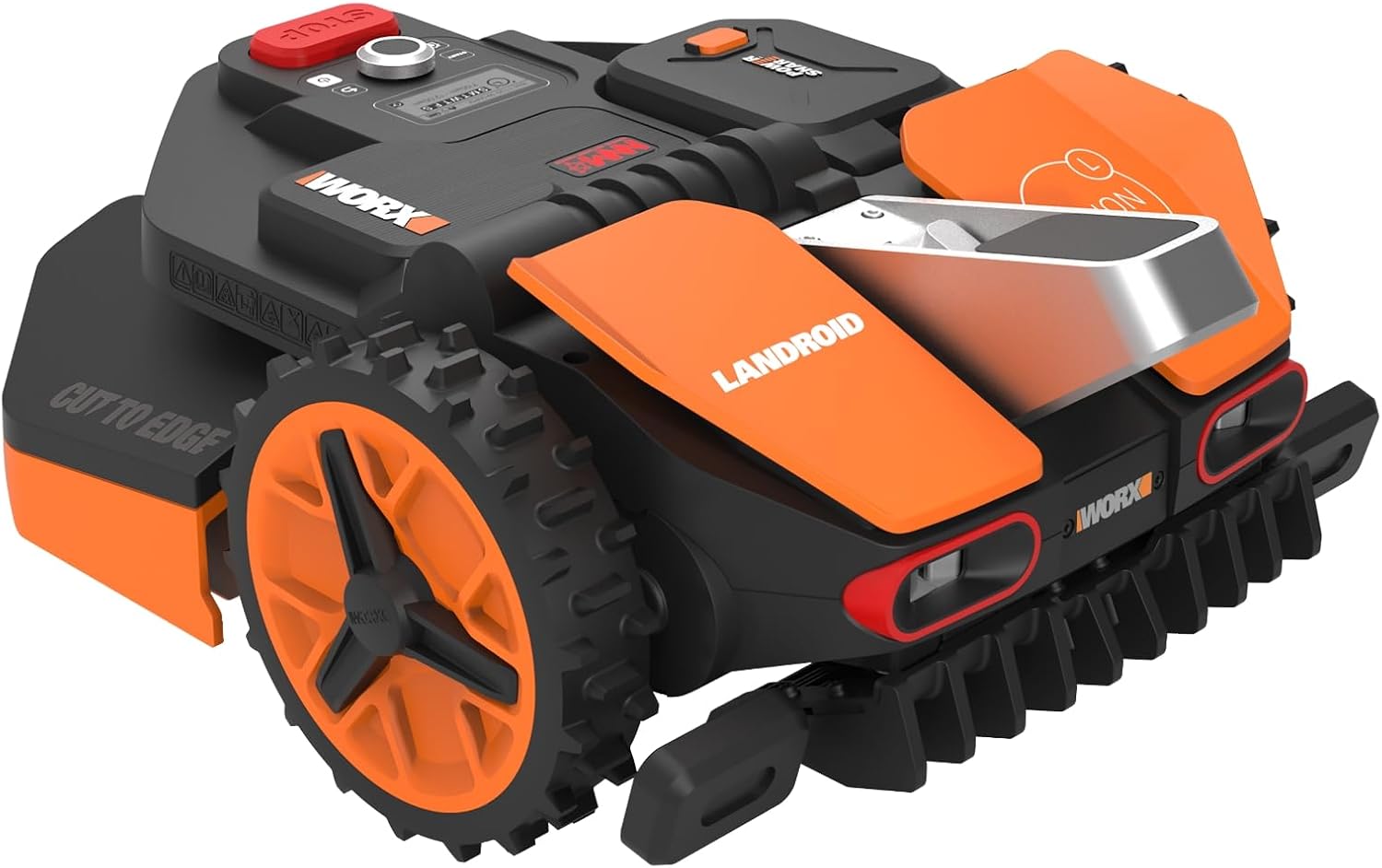
The Worx Landroid robotic lawn mower has established itself as a popular choice among homeowners seeking automated lawn maintenance solutions. Available in multiple series including the S-series for small lawns, M-series for medium properties up to one-quarter acre, and L-series for larger areas up to one-half acre, these autonomous mowers offer convenience and efficiency. However, like all complex mechanical and electronic systems, Worx Landroid owners occasionally encounter operational challenges. This comprehensive guide examines the most frequently reported problems, provides detailed troubleshooting procedures, and offers practical solutions to restore optimal performance.

Understanding these issues is particularly important given the variety of Landroid models available in the United States market. The WR147 and WR165 represent current M-series and S-series models respectively, while the WR155 serves larger properties in the L-series category. Older discontinued models such as the WR140, WR143, WR150, and WR153 remain in use across thousands of properties. Each model features specific components and capabilities, with newer versions incorporating WiFi and Bluetooth connectivity, brushless motors, and floating blade disc technology. The following sections provide model-specific guidance where differences in troubleshooting or repair procedures exist.
Table of Contents
Boundary Wire and Perimeter Problems
The boundary wire system forms the foundation of Worx Landroid operation, creating an electromagnetic perimeter that guides the mower and prevents it from leaving the designated mowing area. Problems with this critical component rank among the most common issues reported by owners.
Symptoms
Boundary wire failures manifest through several distinct error messages and behavioral patterns. The most frequent indicator is the E1 error code or “Wire missing! Press START to reset” message displayed on LED and LCD screens. This error appears when the mower cannot detect the electromagnetic signal from the boundary loop. Owners may also observe erratic movement patterns, with the mower behaving as though it detects the boundary wire in the middle of the lawn, turning and pivoting despite being far from the actual perimeter.
The charging base LED provides crucial diagnostic information. When the boundary wire circuit is intact, the LED displays solid green. A flashing green or solid red LED indicates an interrupted loop, signaling a wire break somewhere in the installation. Complete LED failure suggests power supply problems rather than wire issues. Problems frequently manifest during charging, with “wire missing” errors occurring specifically when the battery charge exceeds 80-90 percent, despite the mower operating normally during field mowing.
Owners of models with diagnostic capabilities can access detailed sensor information. According to official Worx documentation, the diagnostic screen displays two front sensors as black dots when functioning properly inside the perimeter, white dots when outside, or cross symbols when damaged. When both sensors show crosses, either the sensors themselves have failed or no current flows through the boundary wire.
Causes
Physical wire damage represents the primary cause of boundary wire failures. Lawn maintenance equipment including aerators, edging tools, and shovels frequently cut through the wire during yard work. After four or more years of exposure to moisture, temperature extremes, and soil conditions, the wire insulation degrades and conductors corrode. Previous repairs often become the first failure points, as moisture oxidizes poorly insulated connections over time.
Wire resistance provides a critical diagnostic measurement. According to technical analysis from Robot Lawn Mowers Australia, normal resistance for a 230-350 meter installation measures between 5.6 and 8 ohms. When resistance exceeds 10 ohms, intermittent errors begin appearing. At 100-200 ohms, the robot displays severely erratic behavior, stopping 1-2 meters from the wire with E1 errors. Resistance above 20,000 ohms causes complete failure with the base LED turning red.
Power supply failure emerges as an unexpectedly common cause of apparent wire problems. Multiple users on the Roboter Forum have identified this issue, with one owner explaining: “The mower does not get enough charging power. If you have already checked and cleaned the contacts and checked the wires in the base and in the mower, the reason will be unfortunately a well known error: the power supply is broken. It does still supply enough power for the wire, but not enough to charge the mower.” The power supply must maintain voltage above 20.5V constantly during charging; drops below 19.5V indicate failure even though the base LED continues functioning normally.
Installation errors including loose clamp connections, reversed wire polarity, and inadequate insulation at connection points contribute to intermittent failures. Environmental factors such as waterlogging, neighboring robotic mowers operating within one meter, and metal objects near the wire path can disrupt the electromagnetic signal.
Troubleshooting Steps
Systematic diagnosis begins with checking the charging base LED indicator. With the Landroid removed from the base, observe the LED status. If completely off, test the AC outlet with another device and verify the power supply connection. A solid green LED indicates an intact loop but possible signal degradation. Flashing or red LEDs confirm an interrupted circuit requiring wire break location.
The test loop procedure isolates boundary wire problems from mower or base malfunctions. According to Worx Wiki troubleshooting guidance, take three meters of electric wire, strip both ends without stripping the boundary wire itself, insert into the charging base clamps, and lay in a circle on the ground. Place the Landroid on the base inside this test loop. If the error disappears, the problem exists in the boundary wire installation. If the error persists, the issue involves the mower sensors, base electronics, or power supply.
Models with diagnostic capabilities (WR140, WR142E, WR143E, WR150, WR153E, WR155E) provide sensor status information. Turn on the Landroid, press the D key, select the gear icon, navigate to “Diagnostic,” and proceed to page 7/10. The sensor display shows the functional status of both front boundary sensors. Cross symbols on either sensor indicate hardware failure requiring replacement. Both crosses appearing simultaneously suggests either dual sensor failure or absence of current in the boundary wire.
When “wire missing” errors occur exclusively during charging with normal field operation, power supply testing becomes essential. Measure voltage at the charging poles during an active charging cycle, which should read 23-24V. Test the power supply output without the base connected, expecting 24V or higher. Monitor voltage throughout the charging cycle; sustained readings below 19.5V indicate power supply failure despite continued wire signal transmission.
For confirmed wire breaks, visual inspection should begin at previous repair locations, as these represent the most common failure points. Follow the entire perimeter checking for ground disturbances, exposed wire sections, and areas where recent yard work occurred. When visual inspection proves insufficient, an AM radio tuned to 700kHz can locate breaks. The boundary wire creates electromagnetic interference producing a distinct noise through headphones. Walking the perimeter with the radio antenna pointed toward the ground, the interference noise intensifies near the wire and drops substantially at the break location. Purpose-built wire break detectors available from electrical suppliers provide more accurate location capabilities.
Solutions
Proper wire repair requires waterproof connections resistant to soil moisture and oxidation. The official Worx repair guide strongly advises against electrical tape or screw terminal blocks, which allow moisture ingress and subsequent connection failure. The recommended method uses waterproof boundary wire connectors included with the Landroid. Cut out any damaged wire section, insert one end of the broken wire into a connector hole without stripping the insulation, insert a short spare wire piece into another hole of the same connector, and press firmly with pliers until sealed. Connect the other end of the spare wire to the second boundary wire end using a second connector with the same procedure. Bury the repair and secure with a ground peg.
For advanced users comfortable with soldering, tin-soldering wire ends together and covering with self-amalgamating tape followed by insulating tape provides the most durable repair. This method requires more skill but offers superior moisture resistance and longevity.
Power supply replacement solves the widespread charging-related wire errors. Multiple community members report success with Mean Well 24V power supplies, specifically the XLG-100-24-A (100W, 24V) or XLG-75-24-A (75W, 24V) models. These units replace the original supplies often incorrectly marked as 20V. One owner confirmed on the Roboter Forum: “Update: I have now got a new charger at last from Worx, and all my problems are gone.” Installing a replacement power supply involves disconnecting the failed unit from the charging base terminals and connecting the new 24V supply.
Damaged boundary sensors require professional replacement through Worx support. Disassembly of the mower top cover allows access to the sensor connections, where wire breaks at the front sensor connection point represent a common failure mode. Contact Worx Landroid Support for sensor replacement parts and guidance.
Preventive maintenance significantly reduces boundary wire problems. Replace the entire wire installation every four to five years as insulation degradation becomes inevitable. Monitor resistance annually, maintaining readings below 10 ohms for optimal performance. Clean charging contacts seasonally to prevent oxidation buildup. Mark wire locations to prevent accidental damage during yard work. Inspect the installation each spring after freeze-thaw cycles that can stress connections and wire integrity.
Wheel Traction and Slippage Problems
Drive wheel performance directly impacts the Landroid’s ability to navigate terrain, maintain intended paths, and complete mowing schedules. Traction problems rank among the most frustrating issues for owners, particularly those with slopes, wet conditions, or challenging terrain.
Symptoms
Wheel slippage manifests through several observable behaviors. Wheels spin without forward movement, particularly on wet grass, soft ground, or inclines. This spinning creates unsightly holes and divots in the lawn as the treads dig into turf during turns and slope navigation. One Amazon reviewer of the WR150 reported: “The wheels slip and lose traction on flat dry grass. This causes the mower to wiggle its way outside of the boundary wire frequently. A very terrible flaw.”
Getting stuck represents another common symptom. The mower displays “Mower Trapped” (Error E4) when it cannot escape a location despite wheel operation. The front wheel may dig into the ground, creating a depression that prevents forward movement. Owners report the mower climbing onto low obstacles including tree roots and becoming immobilized. During wet conditions or in muddy patches, complete traction loss prevents any progress.
Movement quality degrades noticeably with traction problems. The mower slides downhill on slopes rather than maintaining its intended path, resulting in consistent unmowed strips where gravity pulls it off course. One owner observed regarding slope performance: “What another person said is true, you will have plenty of unmowed areas on the hill. If your slope is well under 18 degrees do not be fooled. It can handle perhaps 1-3 degrees. Gravity acts as a permanent attractor and the wheels do not have enough power to overcome it.”
Causes
Inadequate wheel tread design represents a fundamental limitation. Stock wheels feature relatively shallow tread patterns insufficient for many real-world conditions. After months or years of use, even this modest tread wears down further, compounding traction deficiencies. Mud accumulation in wheel treads eliminates remaining grip, while grass clippings accumulating around axles can restrict rotation.
Slope capability ratings prove optimistic for many installations. While Worx rates the Landroid for 20-degree (35 percent) inclines, practical performance often achieves only 1-3 degrees reliably. The weight distribution places approximately 90 percent of mass over the front wheels, creating a rear-wheel-drive configuration with minimal weight on the driven rear wheels. This design inherently limits traction on challenging terrain.
Wet grass dramatically reduces traction across all wheel types. Official Worx troubleshooting documentation lists “lawn is too wet” as a primary cause of wheel slippage. Morning dew, recent rain, and high humidity conditions exponentially increase the likelihood of getting stuck. Soft or sandy soil allows wheels to sink and spin without gaining purchase.
Wheel motor mechanical failures occasionally occur. Foreign objects lodged under the chassis can block wheel rotation. Worn internal gears reduce torque delivery to the drive wheels. The official Worx support site confirms that Error E2 – “Wheels motor blocked” – indicates obstruction or excessive strain on the wheel drive system.
Troubleshooting Steps
Diagnosis begins with error code identification. Error E2 specifically indicates wheel motor blockage or fault. Error E4 signals the trapped condition. Press the START button (or “0” button on older models WG757E through WG758E) to reset the error and note the location and conditions where it occurred.
Physical inspection requires turning the robot off, removing the battery, and flipping it upside down while wearing protective gloves. According to official Worx troubleshooting procedures, thoroughly clean the wheels using a brush, ensure nothing prevents wheel spinning, and remove any debris or grass clippings from around the axles. Spin each wheel by hand to verify free rotation. Check the front wheel on applicable models to ensure it both spins and pivots freely.
Terrain analysis identifies whether problems occur in specific lawn areas. If errors concentrate in particular zones, examine those locations for soft ground, uneven elevation, slopes, or hidden obstacles like tree roots. Measure slope angles in problem areas, as actual gradients often exceed perceived steepness. Test the mower on flat, dry ground to isolate terrain factors from potential mechanical failures.
Traction testing across different surfaces and conditions reveals patterns. Place the mower on dry grass, wet grass, and slight slopes while observing whether wheels maintain grip or slip. Listen for unusual grinding or clicking sounds from the motors that might indicate internal damage. If one wheel spins at a noticeably different speed or fails to spin entirely, motor replacement may be necessary.
Solutions
Wheel upgrades provide the most effective long-term solution. Worx offers several official accessory wheels designed for challenging conditions. The WA0955 Tough Terrain Wheels feature specially designed tread patterns and ultra-rugged construction, providing 20 percent better traction on slopes up to 35 percent and improved performance in mud. These fit models WR140, WR143, WR147, WR155, and WR165.
The WA0952 Muddy Terrain Anti-Skid Drive Wheels incorporate an aggressive tread with strategically placed studs that bite into soft ground, preventing the Landroid from getting stuck in muddy conditions. Compatible models include WR130E, WR184E, WR141E, WR142E, WR143E, WR165E, and WR167E. The wider profile provides enhanced stability and prevents sinking into soft terrain.
The WA0950 Off-Road Wheels feature weighted construction that improves traction through increased downforce on the driven wheels. This design handles slopes up to 24 degrees (45 percent incline) and prevents bogging down in mud. The additional weight inherently provides better grip without requiring tread modifications.
User reviews consistently praise official wheel upgrades. One Amazon UK reviewer reported: “I have been running these for about 4 to 5 months and I do see a big improvement over the standard wheel. Benefits: less mud clogging on the wheels, much better traction over awkward ground, almost zero digging or wheel churning. The old wheels would getting stuck and kept spinning digging small holes in the lawn.” Another noted: “The difference is really in how the Landroid moves. There is no bounce and grind like the old wheels, the Landroid turns better, grass looks like it has been cut better.”
Metal screw modifications represent a popular DIY solution documented extensively in online communities. This method involves installing stainless steel screws (typically 4.2mm x 32mm self-tapping) into the wheel treads at every second spike position. Approximately 12 screws per wheel (24 total for both rear wheels) dramatically improve traction. One user reported: “This made all the difference! It works perfectly for my sloped yard. I have tried weights behind the back wheels, with about 70 percent improvements, but this hack made it 100 percent!” Important considerations include potential damage to concrete or paved surfaces and ensuring screws seat firmly to prevent loss during operation.
3D-printed aftermarket wheel solutions available on platforms including Cults3D, Thingiverse, and Printables provide customizable options. These range from studded overlays that snap over existing wheels to complete replacement wheels with aggressive tread patterns. Materials such as PETG offer durability for outdoor use. One designer on Printables documented complete custom wheels requiring 24 self-tapping screws, M10 hex nuts, and washers per wheel, with tractor-style treads providing significant traction improvements.
Weight addition systems improve traction through increased downforce on rear wheels. One Thingiverse user designed a weight holder attaching to the battery compartment lid, accommodating 900-1000 grams of concrete weight. This approach achieved 70+ percent improvement in slope handling without modifying wheels. The designer explained: “If you have a Worx Landroid that has traction problems specially with tall grass or slopes, adding weight to it, particular weight behind the rear axis, will improve its traction significantly.”
Commercial aftermarket spikes from vendors on Etsy receive excellent reviews. One product line called “Roboclaws” features high-quality stainless steel spikes that screw onto existing wheels. Customer reviews note: “I purchased three sets for my Landroids after reading about them in the Reddit community. The quality is top notch and they appear to work very well as I have not had a single Landroid get stuck in over a week of mowing.” Another reported: “These exceeded my expectations. I had issues with my Landroid digging in and scraping up my lawn. I bought the spikes as a last ditch and they work absolutely perfectly. No more wheel slippage.”
Regular cleaning prevents many traction problems. Clean wheels and axles weekly with a stiff brush, removing accumulated mud, grass clippings, and debris. Perform additional cleaning after wet mowing sessions or rain. Terrain modifications including filling holes and depressions, leveling uneven areas, and providing wider corridors in problem zones reduce instances of getting stuck. Adjust boundary wire deployment to avoid particularly difficult terrain where possible.
Operational adjustments optimize performance with existing wheels. Schedule mowing during drier parts of the day, avoiding operation immediately after rain or during morning dew. Use the rain delay feature effectively to prevent operation in wet conditions. Trim grass shorter before allowing the mower to tackle slopes, as tall grass compounds traction difficulties.
Rain Sensor and Weather Sensor Problems
The rain sensor system automatically returns the Landroid to its charging station when moisture is detected, protecting the mower and preventing operation in unfavorable conditions. However, false triggers and calibration issues frustrate many owners.
Symptoms
False rain detection represents the primary complaint. The mower displays “Raining” status or “F1 – Rain delay” error code despite clear, dry weather. It refuses to start scheduled mowing sessions, remaining in the charging base indefinitely. Unexpected returns to the charging station occur during dry conditions. One MySensors Forum user complained: “I have the Worx Landroid, it is great with exception of the rain sensor. The sensor itself is useless at detecting rain.”
The rain sensor problem becomes particularly apparent in high-humidity environments. Morning dew triggers the sensor, preventing early-morning mowing schedules. The mower gets “stuck on raining mode” with owners unable to initiate operation without manual intervention.
Causes
Humidity accumulation represents the primary cause of false triggers. Official Worx documentation explicitly states: “Please be advised that if you live in an extremely wet area, humidity might accumulate on the sensor and activate it even if it is not raining. If this is the case, you will have to play around with the settings in order to balance Landroid operations.” The sensor continuously monitors for moisture, detecting even light dew on grass surfaces. Its high sensitivity, while effective for rain detection, creates frequent false positives in humid climates.
Sensor contamination from debris, grass clippings, dirt, and dust accumulation affects sensitivity and response. The sensor location exposes it to environmental contamination during normal operation. General lack of regular maintenance allows buildup that triggers false readings.
The rain sensor design incorporates no user-adjustable sensitivity settings. The hardware operates at a fixed threshold, detecting any moisture presence without distinguishing between actual rain, dew, or high humidity. According to Worx rain sensor documentation, when moisture is detected, the mower automatically returns to the charging station and begins a default 180-minute (3-hour) rain delay countdown once the sensor dries.
Troubleshooting Steps
Visual inspection should verify whether the sensor area shows actual moisture. Check for debris or grass clippings on the sensor surface. Confirm current weather conditions do not explain the detection. Note the time of day, as morning dew commonly triggers false readings.
Performance monitoring identifies patterns. According to Worx rain sensor operation guidance, if the rain sensor frequently detects moisture when it has not rained, ensure the sensor area is clean and free of debris that could cause false readings. Track when false triggers occur to identify correlation with specific times of day, weather patterns, or humidity levels.
The Worx Landroid app provides notification when rain delay activates. Checking the app status confirms whether the rain sensor caused the operational pause. Review the activity log for patterns of rain delays that do not correspond to actual precipitation.
Manual override testing helps isolate rain sensor involvement. Turn the mower off and back on to bypass the current rain delay. If the mower starts successfully, this confirms the rain sensor triggered the delay. If the error persists, other issues may be present.
Solutions
Cleaning the rain sensor represents the simplest solution. Regular maintenance ensures the sensor remains clean and free of debris. According to official maintenance guidance, any buildup can affect sensitivity. Wipe the sensor area with a clean cloth, removing grass clippings and debris. Perform this cleaning regularly as preventive maintenance, particularly during active mowing seasons.
Rain delay setting adjustment reduces the impact of false triggers. For models with LCD display and knob (WR147, WR147E.1, WR148E, WR149E, WR165, WR165E, WR167E), turn the Landroid on, rotate the knob clockwise to select the gear icon, press to confirm, navigate to “Rain start delay,” and press the knob. The default shows 3 hours (180 minutes). Rotate the knob to decrease the delay time. Shorter delays minimize disruption from false triggers.
For models with LCD display without knob (WR140, WR140E, WR142E, WR143E, WR150, WR150E, WR153E, WR155, WR155E), turn on and enter the PIN code, press the right arrow (D) key, select the gear icon, press OK, navigate to “Rain start delay,” press OK, and use arrow keys to adjust the displayed 180-minute default to a lower value. Press the back button to exit and save the setting.
Models with LED display only (WR130E, WR139E, WR141E, WR147E, WR184E) require adjustment through the Landroid app, as no on-device settings menu exists. Open the app, navigate to settings, locate “Rain Delay Settings,” and adjust the duration.
Complete rain sensor disabling eliminates false trigger problems entirely. The official Worx documentation states: “To remove the rain delay completely, select 00 hours and 00 minutes” on knob models or “select 000 min” on LCD models. Via the app, set rain delay time to zero minutes. With delay set to zero, the Landroid continues mowing even when the sensor detects moisture.
Important considerations for sensor disabling include reduced cut quality when mowing wet grass, increased risk of slipping on wet slopes, potential for grass buildup in the mowing deck, and possible blade motor strain. Official guidance notes the Landroid can physically mow wet grass but this practice is not recommended due to these complications.
Manual reset procedures provide immediate relief when the mower becomes stuck in rain mode. Turn the mower off, allow the sensor to dry completely, turn back on, ensure the sensor area is dry, and press start to begin mowing. One Amazon customer documented success with this method: “Adjust the rain delay sensor to 00:00; turn off, then turn on, then the four digit code. Push start and close the lid.”
Environmental adjustments prevent sensor problems without disabling functionality. Install a Landroid garage accessory to protect from excess humidity and direct weather exposure. Position the charging station in shaded, less humid areas of the property. Schedule mowing after morning dew has dried. Official guidance confirms: “It is best practice to schedule Landroid mowing time after morning dew has dried.”
App Connectivity and Firmware Problems
Modern Worx Landroid models incorporate WiFi and Bluetooth connectivity enabling remote monitoring, scheduling, and control through the mobile app. However, connection reliability and firmware update complications represent frequent owner complaints.
Symptoms
WiFi connection failures manifest through various error messages and behaviors. The most common symptom is “Outside range” or “Device offline” messages in the app, even when the mower sits within one meter of the router and the device display shows successful WiFi connection. One owner reported: “I cannot believe this has not been updated since August. I am constantly getting ‘landroid seems to be offline’ message even though it is one meter from the router, and the device display shows it is connected.”
Intermittent connectivity proves particularly frustrating. The app shows successful connection for one or two days, then disconnects without explanation, requiring device restart. The WiFi icon on the LCD display flashes without an exclamation mark, indicating unstable connection despite apparent signal strength.
App-specific problems include “Page expired” error 419 after winter storage or extended non-use, continuous daily logout requiring manual re-login, and “Unknown” status displays on Android devices that resolve only after establishing connection. The activity tab spins endlessly without refreshing, requiring repeated app closure and reopening.
Firmware update failures create operational obstacles. Updates display the “–upd–” message for several minutes without completing, followed by restart without actual firmware installation. Critical errors including “EXT. Mcu Error Updating fw failed” prevent normal operation. USB stick updates fail when the mower does not recognize the inserted drive, starting normally and requesting PIN instead of reading the firmware file.
Causes
WiFi configuration requirements create compatibility issues. The Landroid exclusively operates on 2.4GHz networks; connection attempts to 5GHz bands always fail. Router mode must be set to 802.11 b/g/n mixed mode, as other configurations prevent connection establishment. Channel width must be 20MHz rather than wider settings. Hidden SSIDs must be broadcast during pairing, though they can be hidden afterward. DHCP must remain enabled. Firewall and security features commonly block the Landroid from connecting to Worx servers.
Mesh network incompatibility affects numerous owners. One user reported: “Support from Worx has offered all he can and now says there are some issues with connecting to a MESH system.” TP-Link Deco mesh systems generate particular problems, with multiple owners unable to establish connections despite extensive troubleshooting. Mesh networks with complex SSIDs and passwords, device isolation features, and specific Fritz!box router configurations create obstacles. Some owners find connection impossible despite trying “channel width 20MHz, BGN mix, no security, no firewall, etc.”
Third-party app interference disrupts official app functionality. According to a plugin developer on HomeSeer forums: “Worx is actually opening their API for plugin developers like me. However, in doing that, they have killed the old way of connecting, which is giving multiple plugin developers some headaches. Also I know that they are facing several attacks or abuses on their API servers.” Home automation integrations including HomeSeer, Home Assistant, and similar platforms can cause Worx servers to temporarily block accounts when plugins “mess with server settings.”
Network configuration changes create complications because the Landroid stores only one wireless network configuration. Changing routers requires either matching the old SSID and password exactly or performing complete reconfiguration. VPN interference, guest network usage instead of the primary network, and IPv6 DNS resolution problems contribute to connection difficulties.
Firmware-specific bugs affect certain versions. Version 2.50 presents update block problems where users cannot upgrade past this release. Various connectivity regressions appear in 3.x firmware versions. Log files show repeated “Mqtt Connection Lost!” and “Firmware Download Failed!” errors. Weak WiFi signal during over-the-air updates causes update failures.
USB stick compatibility issues prevent firmware loading. Many USB drives do not fulfill “USB boot standard” requirements. The Roboter Forum documents that smaller capacity drives (2GB, 4GB, 8GB) work more reliably than newer large-capacity drives. File naming must match exactly as provided (for example, “reqProvisioningUsb.json”). FAT32 formatting is mandatory.
Troubleshooting Steps
Initial basic checks verify fundamental requirements. Ensure both smartphone and mower connect to 2.4GHz networks, not 5GHz. Bring the mower close to the router during setup, as mower antennas differ from smartphone antennas. Double-check SSID and password accuracy, ensuring the SSID broadcasts visibly. Confirm the latest Worx Landroid app version is installed from official app stores.
Router configuration verification requires checking several specific settings. WiFi mode must be b/g/n mixed, not a/c or other modes. Channel width must be 20MHz. DHCP must be enabled. SSID broadcast must be enabled at least during pairing. Use the regular network rather than guest networks. Temporarily disable firewalls during troubleshooting.
The mobile hotspot test isolates network problems from device problems. Enable connection tethering on a second phone, set up as a 2.4GHz hotspot, connect the primary phone to this hotspot, and attempt to pair the Landroid through the hotspot network. According to official Worx WiFi troubleshooting, if connection succeeds through the hotspot, the regular WiFi network blocks the Landroid from connecting to servers and router settings require adjustment.
Power cycling resolves many temporary connection issues. Turn off the Landroid, remove the battery for 30 seconds, replace the battery, turn the mower back on, and check connection status. Also reboot the WiFi router to clear temporary glitches.
For over-the-air firmware update failures, ensure the mower remains in the charging station during updates with strong WiFi signal at the charging location. Leave overnight to allow automatic update completion. Verify proper mower seating in the charging station using placement diagrams. Disable auto-update if repeated failures occur, using the manual USB method instead.
For USB update difficulties, try four or more different USB sticks, with older and smaller capacity drives preferred. Format as FAT32 with an empty drive. Download firmware from account.worxlandroid.com after registration. Copy the firmware file as-is without unzipping to the USB root directory. Power on the mower, insert the USB drive, and follow model-specific instructions. One user reported success: “I tried 2 different USB sticks, both formatted to FAT32 but none of them work. I tried to leave robot in the base for few nights but OTA update had not worked, however USB update was successful by using SanDisk Ultra USB 3.0 16GB stick.”
Solutions
Router mode adjustment provides the most common successful fix. One user named Daniel documented on the Roboter Forum: “SOLUTION: I changed my wifi mode to B/G ONLY. Rebooted the robot. Restarted the APP. Followed the connection process. This worked for me. I have tried different firewall settings, port forwarding, etc. I changed it all back, and ran the connection process again. It was for sure the B/G mode ONLY that did the trick. Also I tried all the suggestions with changing SSID and wifi password, taking the battery out, etc. None of it made any difference. Afterwards I set my wifi mode back to MIXED mode, and it still works.”
Implementation requires accessing the router admin panel, changing WiFi mode to B/G only temporarily, rebooting the Landroid, restarting the Worx app, and completing the pairing process. Many users find they can switch back to mixed mode after successful pairing while maintaining connection stability.
The USB configuration method bypasses app connection issues entirely. For 2019 and newer models (WR130E through WR184E), ensure the latest firmware is installed, login to account.worxlandroid.com, open the mower page, click “configure” in the “Wi-Fi Configuration” box, input SSID and password, and download the resulting JSON file. Copy this file to an empty FAT32 USB drive, power on the mower, insert the USB drive, and wait for confirmation (7-segment displays show “USB,” LCD models show on-screen instructions). Remove the USB when complete. One owner confirmed: “The only solution what worked for me was creating a USB stick with the Wifi settings on it. This can easily be done at the support pages of Worx. Just plug the USB into the back of the mower and you will be fine hopefully.”
Mesh network workarounds address persistent compatibility issues. Purchase an inexpensive 2.4GHz-only router such as the TP-Link N300 WiFi Router (TL-WR841N) for approximately $20, connect it to the mesh system Ethernet port, configure as a simple 2.4GHz network, and connect the Landroid to this dedicated router. This maintains the mesh network for all other devices while providing compatible connectivity for the mower.
Third-party app conflict resolution begins with uninstalling all unofficial Landroid apps including Home Assistant and HomeSeer plugins. Clear Worx app data, restart the smartphone, reinstall only the official Worx app, complete fresh pairing, and carefully re-add third-party integrations after stable connection is established. Official Worx guidance warns: “We only support the official Worx Landroid app that you can download from the App Store or Play store. Most third party apps mess with our server settings, so for the time being we cannot support them. Please be advised that some of these applications might be treated as malicious from our safety measures so it is possible that your account will be temporarily blocked.”
App reinstallation solves persistent logout problems. One user reported: “Updated: thanks for dev response! Reinstalling the app fixed the issue with logouts. I recently prepared my Landroid for mowing this season and I noticed a couple of issues. The Landroid companion application keeps logging out every day and I have to manually login every time I want to use the app.” Simply uninstalling and reinstalling the Worx Landroid app resolves this problem for most affected users.
Connection maintenance addresses intermittent dropout issues. Keep the smartphone app running in background with battery optimization disabled to maintain active connection. One technically inclined user explained: “It seems like whatever network card these devices are using, is pretty aggressive in entering power-saving mode and it just drops off the network. If the robots are on the fringe of your network, opening the app and trying to update the status of your robot might not work. Landroid Cloud pinging your robot simply does not get through. However, it seems like having a device constantly maintaining the connection to the robots will counter this issue. For me, that device would be Home Assistant, but you would probably be fine just having the Landroid app in a smartphone without battery-saving features enabled.”
Charging Station and Battery Problems
Reliable charging is essential for autonomous operation, yet charging station and battery issues rank among the most common Landroid problems. Understanding the charging system components and failure modes enables effective diagnosis and repair.
Symptoms
Charging failures manifest through complete inability to charge when docked, with no charging indicator lights and battery percentage remaining static. The LED on the charging station may be completely off, suggesting power supply problems. Abnormally slow charging takes 15 or more hours to complete when normal charging requires approximately 90 minutes.
Error messages specific to charging problems include “Battery voltage too low: please charge battery,” “Wire missing” errors occurring exclusively when the mower sits on the charging base rather than during field operation, “Mower base detection failed” appearing in system logs, and “Low current: retry” error patterns. Battery display anomalies include showing 100 percent charge while LED indicators show only two-thirds capacity, or temperature warnings when battery temperature exceeds 55°C during charging.
Docking failures prevent successful charging even when the power system functions correctly. The mower drives over the dock without stopping, cannot correctly align with the charging contacts, or skips the base entirely during return-to-base routines. Physical inspection reveals charging contact pins not touching the center of charging strips, base movement when the mower drives through due to unlevel ground, and problems specifically at 80-90 percent charge levels where the robot stops docking properly despite functioning normally at lower charge states.
Causes
Dirty or corroded charging contacts represent the most easily remedied cause. Grass clippings accumulate on charging pins and strips during normal operation. Debris blocks electrical connection between the base pins and mower strips. Oxidation on charging contacts from winter weather and storage prevents adequate current transfer. Dirt and corrosion progressively worsen without regular maintenance. According to Roboter Forum discussions, users report: “If you have already checked and cleaned the contacts and checked the wires in the base and in the mower, the reason will be unfortunately a well known error.”
Faulty power supply failure emerges as the most common underlying cause of charging problems. The power supply continues providing sufficient power for the boundary wire signal but fails to deliver adequate charging current. One experienced user explained: “The power supply is broken. It does still supply enough power for the wire, but not enough to charge the mower.” The charging station requires 24V nominal voltage (actual voltage around 20-24V depending on model). When voltage drops below 19.5V during charging, power supply replacement becomes necessary. Some users report: “It is taking 15 hours now. So I believe the PSU is dead.”
Mean Well XLG-100-24-A 24V power supply units serve as common replacements. Early 2017 models had a series of defective bases later corrected in 2018 production. Original power supplies sometimes carry incorrect 20V markings when 24V units are actually required.
Battery degradation follows normal lithium-ion aging patterns. Typical battery lifespan ranges from three to five years depending on usage intensity and maintenance practices. Cell voltage degradation becomes apparent when 18650 cells show 3.76V at “90 percent” charge, indicating capacity loss. Winter storage damage occurs when batteries discharge faster at cold temperatures; if charge drops to zero, the battery may suffer permanent damage. Proper storage charge should be maintained at 50 percent with recharging every two months during winter.
Docking alignment issues create charging contact failures even with functional power systems. The charging base must sit on flat, level ground; this represents the most common docking problem according to official documentation. Ground settlement from winter rains and snow causes bases to tilt. Base placement errors include insufficient straight path before turns (minimum 30cm required, 2m for Vision models). Charging strips on the mower must contact the center of base contact pins; misalignment prevents electrical connection. Ants making nests in charging bases during cold seasons obstruct proper docking.
Troubleshooting Steps
Power supply diagnosis begins with checking the outlet for power using another device. Inspect the LED on the charging station with the mower removed. LED off indicates no power or power supply failure. Solid green indicates power reaching the base, directing diagnosis elsewhere. Flashing green or solid red signals boundary wire interruption rather than power problems. Verify power cord connections to both the base and AC outlet. Ensure GFCI outlets function properly for outdoor installations.
Charging contact inspection requires removing the mower from the base and conducting visual examination. Check contact pins on the charging base (metal flippers) and charging strips on mower underside for grass clipping buildup, oxidation or corrosion, physical damage, and proper spring action on base contacts. Test contact alignment by manually placing the mower on the base while powered off, verifying charging strips touch the CENTER of contact paddles. Confirm base level using a bubble level. Measure battery voltage with a multimeter; readings should show approximately 19-20V at 80-90 percent charge with individual 18650 cells around 3.7-4.2V.
Emergency charging procedures provide diagnostic information. For models WR130E through WR184E, turn the mower off, manually dock ensuring contact pins touch in the middle of charging base contacts, and allow emergency charging to start automatically. Wait at least one hour (full charge complete when base LED turns green). For models WR090S through WR115MI, manually place on the charging base, turn on the mower as the base LED lights, and monitor as the base LED turns from red to green when complete.
Diagnostic log analysis reveals specific failure patterns. According to troubleshooting discussions, check system logs for “Low current: retry” errors indicating insufficient power supply output, “Mower base detection failed” suggesting alignment or contact issues, “Battery Charge Successfully Ended” representing normal operation, and “Battery Charge End By Base!” indicating premature charge termination. Pattern recognition helps isolate power supply problems from battery degradation versus docking failures.
Isolating battery versus charger issues requires systematic testing. Very slow charging taking 15 or more hours suggests likely power supply failure. Persistent “battery voltage too low” messages after emergency charging indicate battery damage. Problems occurring exclusively at 80-90 percent charge point to battery management system issues. Testing with a spare battery if available confirms whether the charger functions properly.
Solutions
Cleaning procedures provide first-line maintenance for charging problems. The official Worx maintenance guide recommends cleaning contact pins on the charging base with a cloth, cleaning charging strips on the mower with a cloth, and periodically removing buildup of grass clippings and debris. For oxidation, use fine grade emery cloth to clean contacts. For stubborn dirt, apply cotton swabs with isopropyl alcohol. According to Energy5 maintenance guidance, gently rub the swab tip over contacts and allow alcohol to dry before resuming charging.
Power supply replacement solves the widespread charging issues. Multiple community members report success with Mean Well 24V power supplies, specifically the XLG-100-24-A (100W, 24V) or XLG-75-24-A (75W, 24V) models. These units replace original supplies often incorrectly marked as 20V when 24V operation is required. Installation involves disconnecting the old power supply from charging base terminals and connecting the new 24V supply. One user confirmed: “Update: I have now got a new charger at last from Worx, and all my problems are gone.”
Battery replacement becomes necessary after three to five years typically. Official Worx 20V PowerShare batteries are available in 2.0Ah, 4.0Ah, 5.0Ah, and 6.0Ah capacities at prices ranging from $89.99 to $129.99. Compatible part numbers include WA3225, WA3226, WA3565, WA3553, and WA3578. Third-party replacements cost $60-100 through retailers including Amazon and BatteryClerk. Replacement procedure involves turning off the mower, removing it from the base, flipping it upside down, removing four screws on the battery cover, extracting the old battery, installing the new battery, firmly replacing all four screws, and ensuring proper seating with the battery clicking or locking into place.
Battery lifespan management extends operational life. Charge to 50 percent before long-term storage, recharge every two months during winter, store in cool dry places at 20-60°C temperature range, and avoid deep discharge to zero charge levels. One reviewer noted: “Long runtime of 2 to 2.5 hours and the battery is compatible with other Worx tools.”
Charging base positioning corrections address alignment-related docking failures. Use a level tool to ensure flat placement, check that ground has not shifted from weather or settling, maintain proper clearances of 30cm straight before left turns (2m for Vision models) and 5cm from boundary edges, ensure contact pins align centrally when the mower docks, and hammer down ground anchors if the base has lifted. Remove any ant nests found inside the base during seasonal inspection.
Seasonal maintenance prevents many charging problems. Spring awakening procedures include unplugging and inspecting the base for ant nests, cleaning the base thoroughly with a brush, verifying the base remains flat after ground settling, cleaning oxidation from contacts with fine emery cloth, fully charging the battery before first use, and updating firmware to the latest version. Winter storage requires fully charging the battery, turning the mower off, storing indoors in a dry place above 0°C, recharging every two months during storage, disconnecting boundary wire ends and wrapping with insulating tape, and potentially bringing the base indoors during extreme cold.
Blade Maintenance and Cutting Performance Issues
The cutting system represents the core function of the Landroid, making blade maintenance critical for achieving quality results and preventing motor damage. Understanding proper blade care extends component life and maintains optimal performance.
Symptoms
Poor cutting quality manifests through uneven cuts and ragged grass edges where blades struggle to achieve clean slices. The lawn develops a progressively shaggier appearance. Increased strain on the mower becomes apparent as dull blades require greater effort to cut grass. Vibration issues emerge when the blade disc becomes unbalanced, causing the entire mower to shake during operation. Reduced cutting efficiency extends mowing time to complete the same lawn area.
Blade disc blockages and jams prevent proper operation. Foreign objects including branches, twigs, leaves, and grass clippings lodge in the disc, preventing rotation. The mower displays “Blade motor fault! Press START to reset” error messages. The disc does not spin freely when manually tested. Even tiny cracks in the blade disc severely affect mowing performance. Blade disc imbalance causes vibrations and poor performance. Individual blades fail to spin freely around their mounting screws, indicating debris interference or improper installation.
Motor and mechanical failures interrupt operation. The blade motor becomes blocked or overloaded, particularly in thick or overgrown grass. “Mower trapped” errors prevent movement. Drive wheel motor blockages affect mobility. Low battery voltage prevents proper blade operation. Debris on charging contacts prevents adequate charging to power blade operation.
Causes
Blade wear accelerates under normal daily use. Worx documentation indicates blades last up to two months with daily mowing schedules, extending to four months when monthly rotation is practiced. Progressive sharpness loss occurs from continuous cutting. Chipping and damage result from impact with stones, thick sticks over 1cm diameter, and lawn obstacles. Cutting thick wooden objects has particularly detrimental effects on blade life. Worx explicitly states that Landroids do not perform well with mixed blade ages or quality levels, emphasizing the importance of replacing all blades simultaneously. Worn mounting screws compromise blade retention and balance, often degrading before blades themselves require replacement.
Debris buildup and contamination affect multiple components. Grass clippings accumulate on the blade disc, chassis, wheels, and underside surfaces. Debris including sticks, leaves, and mud lodge in the blade disc mechanism. Charging contact contamination from grass clippings prevents proper charging. Mud on wheels reduces traction and increases power consumption. Foreign objects including apples, branches, and toys block blade disc rotation. Wet grass creates clumping that increases debris accumulation rates.
Environmental and operational factors stress the cutting system. Mowing in wet conditions increases clogging risk and reduces traction. Overgrown or thick grass overloads the blade motor, especially after extended inactivity. Cutting height set too low stresses blades and motor components. Extended periods of inactivity allow grass to grow excessively tall, overwhelming mower capacity upon resumption. Seasonal issues including winter damage, ants nesting in charging bases, and ground settling create additional complications.
Improper maintenance practices compound problems. Infrequent blade rotation or replacement allows excessive wear. Replacing individual blades rather than complete sets creates dangerous imbalances. Reusing old screws rather than using new ones provided with replacement blades compromises blade retention. Using high-pressure water damages electronic and mechanical parts. Inadequate cleaning schedules allow buildup to accumulate progressively. Failing to check blade disc rotation misses obstructions and developing cracks. Ignoring seasonal maintenance prevents proper preparation for spring and winter conditions.
Troubleshooting Steps
Blade motor fault diagnosis follows a systematic reset and inspection sequence. For older models (WG757E, WG796E.1, WG797E.1, WG798E, WR111MI, WR112MI, WG799E, WR113MI, WG754E, WG755E, WG756E, WG790E.1, WG791E.1, WG792E.1, WG793E.1, WG758E), press the “0” button. For all other models, press the “Start” button to reset the error.
Physical inspection requires turning off the robot, removing the battery, flipping the Landroid upside down while wearing protective gloves, using a soft brush to remove debris from the blade disc, checking that the disc rotates freely by hand, looking for obstructions blocking movement, and inspecting for branches or foreign objects lodged in the mechanism.
Advanced diagnostics on models with this capability involve pressing Key “2” to enter the diagnostic interface, turning the knife disc by hand, and checking whether values change from 0000 (proper operation shows 90 or 180 RPM readings). If the sensor displays no valid values, this indicates sensor or motor malfunction requiring professional attention.
Blade condition assessment checks for dullness, chips, or damage to individual blades, verifies all blades show similar age and condition (mixed ages affect performance), confirms blades spin freely around fixing screws, tests the blade disc for cracks (even microscopic cracks affect performance), and ensures the blade disc remains balanced with all blades adjusted simultaneously.
Operational assessment monitors whether grass height exceeds 10cm before the first spring cut, checks if cutting height suits current grass condition, observes vibration during operation suggesting disc imbalance, and notes whether the mower struggles more than usual indicating dull blades requiring replacement.
Solutions
Proper blade replacement procedure ensures safe operation and optimal performance. Turn off the Landroid and remove the battery. Wear protective gloves as blades feature razor-sharp edges. Flip the Landroid upside down on a soft surface. According to official Worx guidance, remove screws from ALL blades using a Phillips screwdriver, remove old blades, install new blades firmly in proper orientation, use NEW screws included with the blade kit (this is critical for safety and balance), tighten screws firmly while ensuring blades can spin freely, rotate the blade disc to verify free movement, check each blade spins freely around its fixing screw, refit the battery and battery cover, and test operation before returning to the lawn.
Critical safety rules must be followed rigorously. ALWAYS replace ALL blades simultaneously rather than mixing old and new blades. ALWAYS use new screws provided with replacement blades rather than reusing old ones. Failure to follow these rules can cause serious injury according to manufacturer warnings. Blade types include standard blades (WA0190) measuring 1 inch long with dual cutting edges and long-life blades (WA0789) made from hardened stainless steel lasting three times longer with two holes enabling double service life through flipping.
Maintenance schedules optimize blade longevity and performance. Monthly maintenance for daily mowing schedules includes blade rotation or flipping, cleaning charging contacts, removing grass buildup from wheels, and quick underside cleaning. Every two months with daily mowing, standard blades require replacement. Every three to four months, full blade replacement is recommended for optimal performance, with long-life blades extending this interval.
Cleaning procedures prevent debris-related failures while avoiding damage from improper methods. The official Worx maintenance documentation warns: NEVER use hose, high-pressure washer, or running water as these damage electronics. For upper body cleaning, use a spray bottle with water only, clean with brush or cloth, remove built-up dirt, and avoid solvents or polishers. For underside cleaning (the most important maintenance task), turn off and remove the battery, wear protective gloves, flip the mower upside down, remove debris and grass clippings with a brush, clean the blade disc thoroughly with a soft brush or moist rag, clean the chassis completely, clean front wheels thoroughly, rotate the blade disc to ensure free rotation, remove ANY obstructions, remove lodged debris that could crack the disc, and verify blades spin freely around screws. Even the tiniest crack in the disc affects performance severely, requiring immediate replacement.
Component repairs address specific failure modes. For blade motor faults, immediately reset the error, remove the battery, and clear obstructions. If problems persist, increase cutting height by rotating the handle on top. This addresses situations where particularly thick or high grass overwhelms motor capacity, commonly occurring after long inactivity, bad weather periods, or first spring mowing. If unresolved through these steps, contact Worx support for professional assistance.
Blade disc problems require specific solutions. Cracks necessitate replacing the entire blade disc immediately without attempting repair. Imbalance correction involves replacing all blades and screws simultaneously. Stuck rotation requires removing all debris and checking for bent components. Sensor issues may require professional repair or replacement through authorized service.
Preventive maintenance best practices maximize blade life. Flip or rotate blades monthly with daily mowing schedules. Remove obstacles from the lawn before mowing begins. Avoid cutting thick wooden objects exceeding 1cm diameter. Replace blades when they become dull rather than waiting for damage to occur. Sharpening blades between replacements extends intervals though this is optional. Always use genuine or quality replacement parts to ensure proper fit and performance.
Preventive Maintenance and Service Schedules
Systematic preventive maintenance dramatically reduces problem frequency and extends Landroid lifespan. Following manufacturer-recommended schedules prevents most common issues while ensuring reliable operation season after season.
Spring Awakening
Spring startup preparation reactivates the Landroid after winter storage. Begin by checking the charging base for ant nests or debris, unplugging and cleaning thoroughly with a brush. Verify the base remains flat as ground may have shifted from winter precipitation. Clean contact pins with fine-grade emery cloth if oxidation is present.
Blade inspection and replacement before the season begins ensures optimal cutting performance. Replace all blades simultaneously, inspecting for chips or damage. Always use new screws when installing blades. Clean the entire mower using spray bottles and soft cloths for the upper body, avoiding solvents. Flip upside down and remove all grass clippings and debris from the underside. Clean the blade disc, chassis, and front wheels thoroughly. Ensure the blade disc rotates freely without obstruction.
Battery preparation involves charging fully before the first work session, requiring several hours. Check battery performance for signs of degradation including reduced runtime or charging difficulties. Update firmware to the latest version via app or USB stick. Check regularly for software updates throughout the season.
Lawn and boundary wire inspection prevents operational interruptions. Remove dead sticks, leaves, and debris from the lawn area. Check for boundary wire damage from animals or shovels during winter. Verify plants have not grown over the boundary wire, potentially concealing it or causing tension. Address any “wire missing” errors immediately using troubleshooting procedures outlined earlier.
For Vision models specifically, clean the QR code on the charging base as this is required for station recognition. Clean the camera lens with a soft cloth using circular motions from inside out, using slightly damp cloth for stubborn dirt. Check for obstructions including leaves or snails blocking the camera field of view.
Update settings through the app including current time and date. Adjust multi-zone settings if lawn layout changed during winter. Set the cutting disc at MAXIMUM height initially, gradually reducing over subsequent weeks until reaching desired length. According to official Worx spring guidance, never cut more than one-third of grass blade height in a single mowing.
End-of-Season Winterization
Proper winter storage protects components from cold damage and extends overall lifespan. Begin with thorough cleaning, but do NOT use high-pressure washers, detergents, or running water. Use compressed air, cloth, and manual cleaning only. Remove all dirt, debris, and grass buildup from all surfaces. Clean charging contacts thoroughly to prevent oxidation during storage.
Battery preparation proves critical for winter preservation. Fully charge the battery before storage. Turn OFF the Landroid completely. For models with removable batteries (2018 and newer), remove and store separately in a temperature-controlled environment. For built-in battery models (pre-2018), leave briefly on the charging station to ensure full charge, then store the mower. According to official winter maintenance guidance, batteries discharge faster in cold temperatures. If charge drops to zero, the battery may suffer permanent damage.
Storage location must be indoors in a dry place with temperature above 0°C (32°F). Sheds or garages work well. Optional storage bags (WA0197) protect from dust and scratches. Deactivate the lock function through the app before storage to prevent accidental locking during winter.
The charging base can remain outside during winter as it is weatherproof. However, in extremely cold areas, bringing it indoors is recommended. Disconnect boundary wire ends from the base terminals. Wrap wire ends with insulating tape to prevent oxidation from moisture exposure. Optionally cover with a nylon sheet for additional protection.
Critical winter battery maintenance requires recharging the battery fully every two months during storage. This prevents deep discharge damage that permanently reduces capacity. Either place the mower on the charging station or remove the battery and use a Worx 20V PowerShare charger. Some older manuals suggest three-month intervals, but two months provides a safer margin. Store batteries in cool, dry places between 20-60°C.
Weekly Maintenance During Active Season
Visual inspection identifies developing problems early. Check blades for chips, damage, or excessive wear. Inspect wheels for mud buildup. Examine the undercarriage for foreign objects. Monitor battery performance through runtime observation. Verify charging completes successfully by checking battery level after charging cycles.
Quick cleaning maintains performance between deeper maintenance sessions. Remove visible grass buildup from wheels using a brush. Check charging contacts for debris accumulation. Wipe the upper body if dusty or dirty from environmental conditions.
Monthly Maintenance
Blade rotation or flipping extends blade life significantly. This simple five-minute task using a Phillips screwdriver can extend blade lifespan from two months to four months according to Worx recommendations. Some users flip blades to use the opposite cutting edge, while others rotate blade positions around the disc.
Deep cleaning sessions prevent buildup accumulation. Perform full undercarriage cleaning, removing all debris from the blade disc, wheels, and chassis. Thoroughly clean drive wheels to maintain traction. Clean charging contacts on both mower and base to ensure reliable charging. According to seasonal maintenance guidance, this monthly cleaning prevents most debris-related problems.
Software maintenance includes checking for firmware updates via the app and installing updates when available to benefit from performance improvements and bug fixes.
Quarterly Maintenance
Comprehensive inspections every three to four months catch problems before they cause failures. Conduct detailed blade condition assessment to determine if replacement is needed. Inspect wheel tread for wear patterns that reduce traction. Perform full charging system testing by monitoring charging times and battery performance. Walk the entire boundary wire perimeter checking for damage or burial problems. Review error patterns in the app history to identify recurring issues requiring attention.
Annual Maintenance
Full system checks every year ensure all components remain in good condition. Consider complete mower disassembly and deep cleaning. Inspect all mechanical components for wear or damage. Check battery health and capacity through runtime testing. Professional service options are available in some regions for comprehensive inspection and repair. Consider wheel replacement if tread shows significant wear affecting traction and performance.
Replacement Part Schedules
Consumable items require regular replacement to maintain performance. Blades with standard usage and daily mowing last approximately two months per set, extending to four months with monthly rotation. Check weekly through visual inspection and perform monthly rotation. Always replace all blades simultaneously with new screws. Blade kits (WA0190 standard or WA0789 long-life) include screws and typically contain 12 blades.
Wheels vary in lifespan by terrain and usage, typically lasting two to three years or longer. Signs of replacement need include worn tread, reduced traction, and difficulty on slopes. Upgrade options include muddy terrain wheels (WA0952), tough terrain wheels (WA0955), and spiked wheels from aftermarket vendors. Check monthly for wear and damage.
Battery lifespan typically ranges from two to five years depending on usage and care. Signs of replacement need include reduced runtime, inability to hold charge, and slow charging. Proper winter storage and regular charging maintenance extends battery life significantly. Replacement batteries use the 20V PowerShare system and are available in various capacities.
Charging contacts experience gradual oxidation over time but rarely require complete replacement. Regular cleaning with cloth or emery cloth restores function in almost all cases. Boundary wire lasts many years if undamaged but suffers from shovels, edgers, animals, and lawn work. Repair damaged sections using waterproof connectors included with the mower. Check during spring startup, monthly during season, and after any yard work.
Tools and Supplies
Essential maintenance tools include those provided with the mower: Phillips screwdriver for blade changes, spare blades in the initial set, new screws for blade installation, boundary wire connectors, and protective gloves. Purchase separately replacement blades as a regular consumable, soft brushes for cleaning blade disc and wheels, spray bottle for cleaning solution, microfiber cloths for general cleaning, fine-grade emery cloth for charging contact oxidation, compressed air for detailed cleaning, storage bag (WA0197) for winter protection, and upgrade wheels (WA0952, WA0955) as needed. Additional boundary wire may be needed for repairs or lawn expansion.
Conclusion
The Worx Landroid robotic lawn mower provides reliable autonomous mowing when properly maintained and promptly troubleshot when problems arise. This comprehensive examination of common issues reveals that most problems stem from preventable causes including inadequate cleaning, deferred maintenance, improper installation, and environmental factors. Boundary wire problems typically result from physical damage or power supply failure rather than wire defects. Wheel traction issues respond well to aftermarket wheel upgrades and regular cleaning. Rain sensor false triggers can be minimized through cleaning and settings adjustment or eliminated through complete disabling. Connectivity problems usually trace to router configuration rather than mower defects. Charging failures most commonly result from power supply degradation or dirty contacts rather than battery issues. Blade performance degrades predictably with use, responding to regular rotation and timely replacement.
The variety of Worx Landroid models including S-series for small properties, M-series for medium lawns, and L-series for large areas each present similar problems with model-specific variations in troubleshooting procedures. Newer models with WiFi and Bluetooth connectivity introduce additional complexity but also enable remote monitoring and control that simplifies problem diagnosis. Understanding the specific components in your model including boundary wire detection systems, wheel drive motors, rain sensors, wireless connectivity modules, charging station electronics, and blade disc mechanisms enables more effective troubleshooting and repair.
Preventive maintenance emerges as the most effective strategy for minimizing problems and maximizing Landroid lifespan. Following systematic seasonal preparation including spring awakening procedures and end-of-season winterization protects critical components from environmental damage. Regular cleaning on weekly and monthly schedules prevents the debris accumulation that causes many operational failures. Timely blade rotation and replacement maintains cutting quality while reducing strain on motors. Battery care including proper winter charging schedules prevents permanent capacity loss.
The extensive owner community documented throughout this article provides valuable real-world insights that complement official manufacturer guidance. Forum discussions, user reviews, and community-developed solutions offer practical approaches to problems that may not be fully addressed in official documentation. Resources including the Worx Wiki, Roboter Forum, Reddit communities, and YouTube repair channels provide ongoing support for troubleshooting and maintenance.
When problems exceed DIY repair capabilities, official Worx Support provides professional assistance through ticketing systems, phone support, and authorized service centers. The three-year warranty (when registered within 30 days of purchase) covers manufacturing defects though normal wear items including blades and batteries are excluded. Understanding which problems you can resolve independently versus those requiring professional service enables efficient problem resolution while managing costs effectively.
By implementing the troubleshooting procedures, solutions, and preventive maintenance schedules detailed throughout this guide, Worx Landroid owners can dramatically reduce problem frequency, extend mower lifespan, and enjoy the convenience of reliable autonomous lawn care year after year.